







Backrooms Ś̶̯̪P̸̰͘R̷̟̩͋U̷͙͜͝͠N̵̟̬̓K̷̫̫̓I̶̼͗̚ͅ - by Niki

What Is Backrooms Ś̶̯̪P̸̰͘R̷̟̩͋U̷͙͜͝͠N̵̟̬̓K̷̫̫̓I̶̼͗̚ͅ - by Niki?

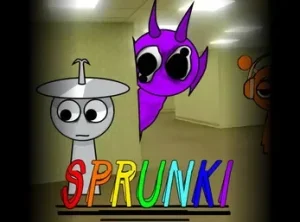
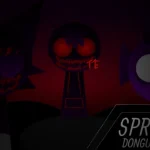
A line of silent silhouettes stands across the screen, waiting for the first drag-and-drop icon to tear open their reality. Once placed, a colorful music maker distorts into a glitch-filled nightmare where cheerful melodies give way to heavy 808 bass, reversed whispers, and static-laced visual disruptions.

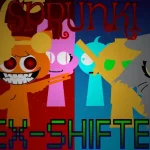
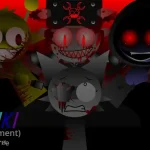
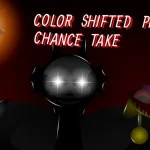
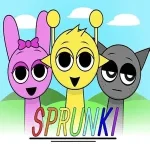
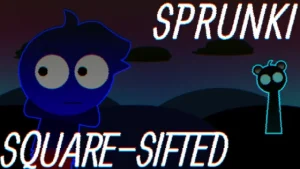
Backrooms Ś̶̯̪P̸̰͘R̷̟̩͋U̷͙͜͝͠N̵̟̬̓K̷̫̫̓I̶̼͗̚ͅ reimagines the original Sprunki universe—first created by NyankoBfLol—as a digital virus consuming the entire soundboard. Instead of a simple alternative mode, this corrupted edition treats the malicious Black entity as a glitch spreading through game code, trapping characters in a state of self-aware digital decay. Visuals jitter with unannounced static while the cast undergoes haunting transformations.

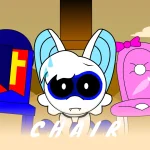
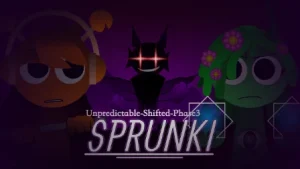
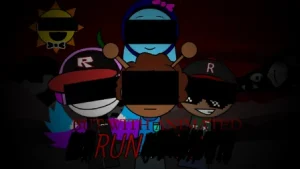
Every character added to the lineup alters both the visual tone and the audio palette. Wenda appears with hollowed ring eyes, delivering reversed vocal pleas through bursts of white noise. Simon presents a sharp, glitching form that releases harsh, metal-tearing sound effects, while Garnold and Funbot operate as rusting, malfunctioning machines spitting out grinding gear loops and system errors. To balance the heavy noise, Gray and Durple contribute somber, half-lidded melodies that layer quiet grief over booming basslines.

Navigating this horror mix requires careful listening to prevent chaotic noise from overwhelming the rhythm. Players can assemble, mute, and isolate different loops to build dynamic transitions, using quiet vocal moments to set up sudden rhythmic drops. This community-submitted game is now available to play on Sprunki.cool, offering fans of analog horror and experimental music-making a haunting playground where every beat carries an unsettling edge.

Join The Conversation

Share your thoughts and experiences with other players

Click to load the comment system and start chatting with other players

How to Play and Build Your Mix

1

Select Corrupted Icons

Choose from category icons at the bottom of the screen, categorized into Beats, Effects, Melodies, and Voices.

2

Drag onto Avatars

Drop an icon onto a silhouetted avatar to reveal its corrupted design and add its sound loop to the live mix.

3

Layer Audio Tracks

Combine steady bass loops with somber melodies and sparse vocal effects to maintain rhythm amid digital distortion.

4

Use Mute Controls

Silence individual character tracks or mute the beat entirely to craft tense build-ups and abrupt audio drops.

Strategies for Balancing Horror Soundscapes

  • Establish a Steady Bassline

    Start your loop using Black or Tunner to anchor the mix with a heavy, consistent beat before adding higher frequency sounds.

  • Limit Vocal Overlap

    Keep no more than one or two vocalists active simultaneously, such as Wenda or Pinki, so screams and reversed speech do not turn into chaos.

  • Blend Melancholy Melodies

    Incorporate Gray or Mr. Sun to contrast heavy distortion with somber, quiet notes for maximum suspense.

  • Execute Mute Drops

    Mute all rhythm tracks during a vocal loop, letting the quiet audio linger before unmuting everything at once.

Corrupted Roster and Audio Traits

1

Distorted Audio Palette

Features heavy 808 bass, reversed vocal recordings, metal-tearing effects, and stuttering digital static.

2

Glitch Character Roster

Includes hollow-eyed vocalists, rusting mechanical bots, and corrupted entities designed around digital decay.

3

Atmospheric Glitch Effects

Screen flashes and unnatural animation jitter react as more audio layers fill the soundboard.

4

Secret Lore Code Inputs

Certain builds allow typing keyboard combinations like 'imsosprunki' to reveal secret lore panels and hidden characters.

Why Play Backrooms Ś̶̯̪P̸̰͘R̷̟̩͋U̷͙͜͝͠N̵̟̬̓K̷̫̫̓I̶̼͗̚ͅ - by Niki?

" Orchestrate terrifying rhythms inside the digital static. "

Frequently Asked Questions