

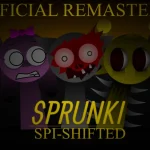











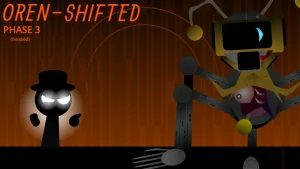

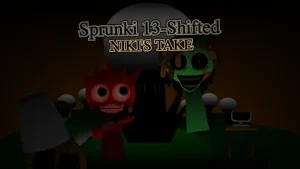
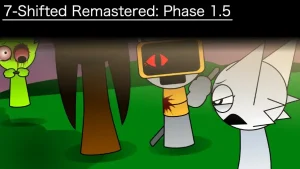
Incredibox - Sprunki Phase 29

What Is Incredibox - Sprunki Phase 29?

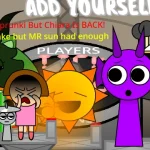
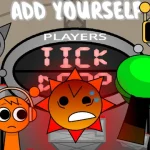
Incredibox - Sprunki Phase 29 brings fresh musical adventures to sprunki.cool, where young creators can craft their own soundscapes through intuitive beat mixing. Created by @SprunkiOc and originally shared on cocrea, this V1.0 release transforms music creation into an accessible playground for aspiring composers.

The game centers on character-based sound layering, where each Sprunki character contributes unique vocal loops, beats, melodies, or effects. Players drag and drop sound icons onto animated performers, building complex compositions layer by layer. Phase 29 introduces distinctive audio palettes and visual themes that set it apart from earlier iterations, encouraging experimentation with rhythm combinations and harmonic patterns.

What makes this phase special is its balance between creative freedom and guided discovery. Young musicians can stumble upon hidden sound combinations that unlock bonus animations, rewarding curiosity while teaching fundamental music theory concepts through play. The interface responds instantly to changes, letting kids hear their adjustments in real-time as they swap characters or modify arrangements.

Available directly through your browser on sprunki.cool, no downloads or installations required. The community-created MOD maintains the playful spirit of the Incredibox series while offering fresh content for fans seeking new sonic possibilities.

This guide for Incredibox - Sprunki Phase 29 was created with AI assistance. While we've aimed to provide accurate information, for the most up-to-date details, please check the official game page on sprunki.cool.

Join The Conversation

Share your thoughts and experiences with other players

Click to load the comment system and start chatting with other players

Phase 29 Sound Mixing Basics

1

Choose Your Sound Squad

Start by selecting characters from the bottom menu. Each Sprunki represents a different sound type: beats provide rhythm, melodies add tunes, effects create atmosphere, and voices bring personality. Click or drag a character icon onto one of the seven stage positions to activate their sound loop.

2

Layer Sounds Together

Build your composition by adding multiple characters to the stage. Experiment with different combinations—try pairing a beat character with a melody, then add effects for depth. Remove characters by dragging them off stage or clicking to swap them with new ones. Listen as each addition changes your overall mix.

3

Discover Bonus Combos

Certain character combinations unlock special animations and extended sound sequences. Pay attention to visual cues when characters interact—glowing effects or synchronized movements often signal you've found a hidden combo. Try grouping characters by color or sound type to uncover these musical surprises.

Beat Building Secrets

  • Start Simple, Build Up

    Begin with just one or two characters to hear their sounds clearly. Once you understand what each contributes, gradually add more layers. This approach helps you learn which sounds complement each other and prevents overwhelming your mix with too many elements at once.

    Advanced creators can try the opposite technique: start with a full stage of seven characters, then remove elements one by one to hear how each sound affects the overall composition. This subtraction method reveals the role each layer plays in your musical arrangement.

  • Use the Mute Strategy

    If your mix feels crowded, temporarily remove characters instead of starting over. This lets you isolate specific sound combinations to understand what's working and what isn't. Rebuilding from a simplified version often leads to stronger final compositions than trying to fix a cluttered mix.

    Create multiple versions of the same song by saving different character arrangements. Try a beat-heavy version, then a melody-focused one, then a balanced mix. Comparing these variations teaches you how different emphasis changes a song's energy and mood.

What Makes Phase 29 Special

1

Phase 29 Sound Library

This version introduces a curated collection of audio loops designed specifically for Phase 29's aesthetic. Each sound has been balanced to work harmoniously with others, making it nearly impossible to create clashing combinations. The library spans multiple musical styles while maintaining cohesive sonic identity throughout.

2

Instant Playback System

Changes happen in real-time with zero lag. Swap a character mid-beat and hear the transition immediately, allowing for spontaneous creativity and quick experimentation. The responsive audio engine encourages trial-and-error learning, perfect for young musicians developing their ear for rhythm and melody.

3

Visual Rhythm Feedback

Characters animate in sync with their sound loops, providing visual reinforcement of musical concepts like tempo and timing. Watch performers bounce, sway, and groove to help understand how different elements work together. The animations make abstract musical ideas concrete and observable for learners.

Why Play Incredibox - Sprunki Phase 29?

" Mix, Match, and Make Music Magic! "

" Your Beats, Your Rules, Your Phase! "

" Unlock the Sound, Unleash the Fun! "

Your Phase 29 Questions Answered