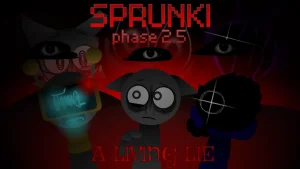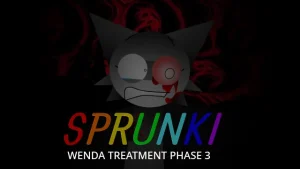
Incredibox - Sprunki (Wenda Treatment Phase 3)

What Is Incredibox - Sprunki (Wenda Treatment Phase 3)?

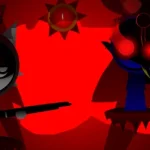
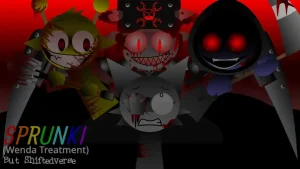
A low, glitchy hum buzzes in your ears the second you load up the screen, setting a creepy mood where the cute cartoon beats of the past are replaced by eerie distortion. This fan-made music mod plunges players straight into a glitch-heavy, unsettling storyline centered around the character Wenda. Instead of the usual cheerful tunes, you are dropped into a dark, distorted space where every sound icon carries a bit of eerie noise. It is a spooky, hands-on remix that challenges you to build a track out of pure tension and glitchy vibes.

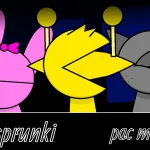
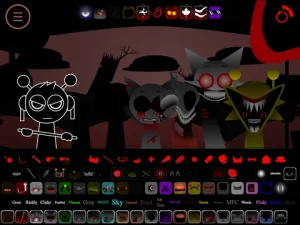
To start mixing, you simply drag and drop the audio icons onto the seven cartoon beatboxers lined up on your screen. Each icon represents a different layer, like a heavy beat, a weird sound effect, or a distorted vocal loop. As a beginner, your main goal is to watch how the characters react when you place an icon on their head or mouth. Their creepy animations and facial expressions change based on the sounds you layer, giving you a visual cue on how your track is coming together. You can play around with different combinations on sprunki.cool to see how the visual cues match up with the eerie audio layers.

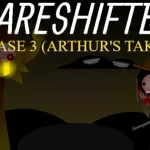
This mod is a unique fan-made extension within the massive online Sprunki universe, which started as a creative spin-off of classic beatboxing games. Fans love these mods because they take familiar characters and throw them into wild new scenarios, like horror phases or custom character remixes. This specific release, Sprunki Wenda Treatment Phase 3, serves as a creepy, story-driven phase variant that focuses heavily on Wenda's eerie lore. It fits right into the community's love for dark, atmospheric music-mixing games that push the boundaries of the original formula.

What makes this version stand out from standard mixes is its complete focus on manual mixing without any autoplay, extra rewards, or leaderboards to distract you. The creators, SammyTheOrangeGuyAgain and Mr.Simon!, designed this HTML5 mod to be a pure, hands-on audio experiment with subtle character color palettes and brand-new scenes. Players who want to see where the story goes next often compare this to Sprunki Wenda Treatment Phase 4 to track the evolving glitch themes. Since there are no automated shortcuts, you have to manually swap icons to find the perfect balance of eerie noise and steady rhythm.

Anyone who loves creepy atmosphere and manual beatmaking will find this glitchy music sandbox worth a spin. Be aware that the mod is officially discontinued, meaning what you see is the final version with no future updates planned. Once you craft a creepy track you actually like, you can use the share button in the top right corner to generate a custom link and show off your glitchy masterpiece. This glitchy sandbox is made for players who want to mix dark, distorted beats without any extra fuss.

Join The Conversation

Share your thoughts and experiences with other players

Click to load the comment system and start chatting with other players

Beginner Mixing Guide

1

Select Your Sounds

Begin by looking at the row of audio icons at the bottom of your screen. Each icon represents a different sound category, such as heavy beats, eerie melodies, or distorted vocal loops. Drag these icons directly onto any of the seven cartoon beatboxers. Since this mod focuses on a creepy theme, try mixing the glitchy sound effects first to establish a dark, atmospheric background before adding faster rhythms.

2

Observe Character Reactions

Once you place an icon on a character's head or mouth, watch their animations closely. The beatboxers react visually to the specific audio layers you assign them. Their creepy facial expressions and movements change in real-time, helping you understand how the different tempos and sounds fit together. Use these visual cues to decide which characters to swap out next.

3

Share Your Custom Mix

When you are happy with your distorted soundtrack, look for the share button located in the top right corner of the screen. Clicking this button generates a unique public URL for your specific mix. You can copy this link to share your custom glitch track with friends or the wider community, allowing them to hear your manual creation instantly.

Pro Mixing Tips

  • Layer the Glitch Effects First

    Start your mix by dragging the glitchy sound effects onto the characters before adding heavy beats. This helps you establish a creepy, atmospheric background hum that makes the rest of your track sound much more cohesive.

    Avoid crowding the mix with too many vocal loops at once, as the distorted sounds can easily become overwhelming and chaotic.

  • Watch the Subtle Color Palettes

    Pay close attention to the subtle color changes on the characters as you swap icons. These visual shifts often hint at how different audio layers harmonize, helping you build a more balanced track.

    Since the mod is officially discontinued, take your time to explore the existing animations without expecting new content updates.

Eerie Core Features

1

Wenda-Themed Distortion

This mod replaces the traditional cheerful beats with eerie distortion and static noise. Every audio icon is tuned to fit a creepy, glitch-heavy atmosphere, giving players a completely different soundscape to experiment with.

2

Reactive Character Animations

The seven cartoon beatboxers feature custom animations and subtle color palettes that react directly to your music. Watching their expressions shift as you layer sounds adds a layer of visual feedback to your mixing.

3

Pure Manual Mixing

With no autoplay, leaderboards, or automated loops, this version focuses entirely on hands-on creativity. Players have total control over every single track layer, making each mix a highly personal audio experiment.

Why Play Incredibox - Sprunki (Wenda Treatment Phase 3)?

" Drag, drop, and embrace the eerie distortion of Wenda's world. "

" Craft your own glitchy soundtrack with seven creepy beatboxers. "

" No autoplay, no shortcuts—just pure manual music mixing. "

Frequently Asked Questions