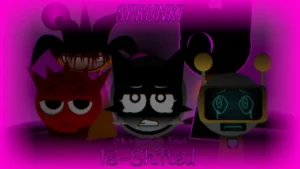



























Sprunki 18-Shifted MrJevinBoi's Take

What Is Sprunki 18-Shifted MrJevinBoi's Take?

Imagine a world where everything you know about the musical lineup has slid just one step out of alignment. In Sprunki 18 Shifted, the familiar cast returns under a surreal new rule: every single character's fate and icon has been shifted exactly one spot to the left. This simple displacement fractures their identities, turning a standard rhythm game into an eerie, narrative-driven puzzle of sound and sight.

At first glance, the stage presents a lively, colorful atmosphere in its normal mode. But the underlying tension is impossible to ignore. By triggering the transition into horror mode, the bright cartoon facade shatters. The sky splits under the gaze of double suns, Durple stares back with a single haunting eye, and the audio dissolves into a chaotic blend of glitchy, distorted loops. The visual transformations are deeply unsettling—one character's teeth even stretch further and further apart the longer his sound loop is allowed to play.

This particular rendition, known as V3.0 (MrJevinBoi's Take), was developed by creator @Lucad0510. The community has rallied around this update with intense excitement, with players celebrating the return of fan-favorite elements like "Gplush" and widely praising the mod's dark atmosphere as absolute "peak" design.

This community-submitted mod is now fully playable directly in your web browser on Sprunki.cool. Dive into the shifted lineup, experiment with the dual-mode audio layers, and discover what happens when the music is pushed just slightly out of its proper place.

Join The Conversation

Share your thoughts and experiences with other players

Click to load the comment system and start chatting with other players

How to Conduct the Shifted Choir

1

Drag and Drop the Cast

Use your mouse to drag the shifted characters onto the active track slots to begin building your loop.

2

Toggle the Modes

Switch instantly between the lively, colorful normal mode and the dark, surreal horror mode to warp the visuals and audio.

3

Mix and Layer

Adjust individual tracks, mute specific loops, or solo a character to study their shifting animations and evolving sounds.

Survival Tips for the Soundscape

  • Watch the Teeth Stretch

    Pay close attention to the visual cues of your characters; some animations, like the stretching teeth, evolve dynamically the longer their loop plays.

    Don't be afraid to mix normal and horror elements to find hidden musical layers.

Unsettling Features of the Shifted Reality

1

The Left-Shifted Fate

Every character's icon, role, and sound has been shifted one position to the left, creating entirely new visual and audio dynamics.

2

Dual-Mode Atmosphere

Seamlessly transition from a bright, cartoonish stage to a surreal nightmare filled with glitchy loops and distorted audio.

3

Dynamic Visual Horror

Encounter mysterious puzzle-like elements, including Durple's single eye, double suns, and teeth that stretch apart the longer a sound plays.

Why Play Sprunki 18-Shifted MrJevinBoi's Take?

" Slide one icon to the left and watch the harmony distort. "

Frequently Asked Questions