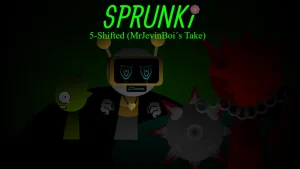
Sprunki 5-Shifted MrJevinBoi's Take

What Is Sprunki 5-Shifted MrJevinBoi's Take?

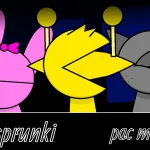
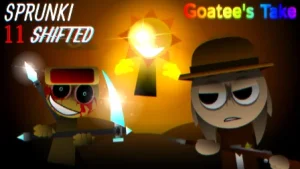
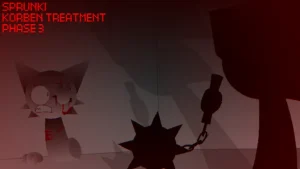
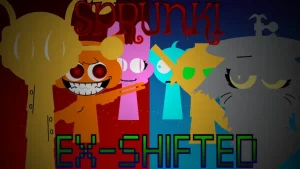
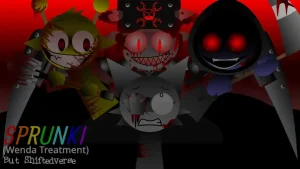
A stage filled with altered silhouettes and abrasive, heavy beats sets the tone for Sprunki 5-Shifted MrJevinBoi's Take. Building upon the established drag-and-drop beatmaking format, this take transforms performance into an eerie, glitch-infused soundscape where deliberate visual distortion and punchy rhythms take center stage.

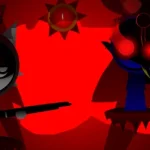
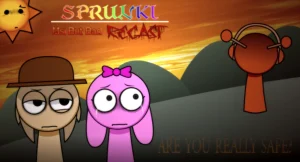
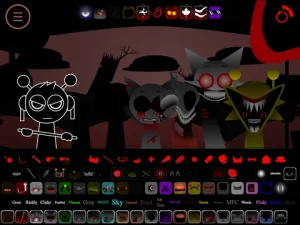
Rather than striving for smooth, clean harmonies, the experience encourages raw audio experimentation. Players drag distorted cast members onto the stage to layer aggressive drum hits, sharp melodies, and off-beat textures. Characters react with reworked visual designs and altered vocals; notably, Mr. Sun brings distinct light, shadow, and audio traits to the mix. Placing specific black characters onto the stage triggers a sudden shift into Dark Mode, instantly dimming the visual presentation while pushing the audio track into deeper, heavier frequencies. Visual dark modes can also be toggled directly within the settings menu, allowing players to test dedicated dark levels and challenge modes alongside standard free creation.

Crafted by creator @MrJevinBOI as an alternative recreation of the concept explored in Sprunki 5 Shifted, this release focuses on chaotic fun, real-time audio drops, and mid-track character swapping to create intentional glitch effects. This community-submitted game is now available to play online on Sprunki.cool.

Whether you are looking to test your rhythm in challenge levels or craft heavy soundscapes through experimental layering, this shifted edition delivers a punchy, eerie musical sandbox built for fans of dark audio experimentation.

Join The Conversation

Share your thoughts and experiences with other players

Click to load the comment system and start chatting with other players

How to Build Beats in Sprunki 5-Shifted MrJevinBoi's Take

1

Establish the Foundation

Drag one or two distorted characters from the roster onto the active stage slots to start building your basic drum loop and rhythm track.

2

Layer and Swap mid-Beat

Add more characters to expand the track's density. Remove or replace cast members during active playback to generate instant glitch drops and rhythmic cuts.

3

Activate Dark Mode

Place specific black characters onto the stage to trigger Dark Mode, immediately darkening the stage visuals and deepening the audio tones.

4

Discover Hidden Audio

Use the replay functionality after completing a sequence to fine-tune your arrangements and uncover hidden sound effects.

Tips for Crafting Glitch Soundscapes

  • Use Headphones for Layered Depth

    Listen with headphones to clearly distinguish spatial audio layers and catch subtle sound details across heavy synth and drum tracks.

  • Experiment with Mid-Track Removals

    Pull active characters off the stage during heavy beat moments to create sudden silence drops before reintroducing new rhythms.

    Visual settings allow you to turn off dark visual overlays if you prefer lighter contrast while preserving the heavy audio profile.

Key Features & Shifted Mechanics

1

Shifted Character Designs

Features dozens of reworked characters with altered appearances and harsh audio tracks, including specialized lighting and sound abilities for Mr. Sun.

2

Dynamic Dark Mode System

Triggers visually and acoustically darker stages when black characters are introduced, with additional visual toggles available in the settings menu.

3

Hard-Hitting Rhythm & Glitch Focus

Emphasizes heavy drum beats, abrasive melodies, and intentional off-beat sounds over clean acoustic balance.

4

Varied Play Modes

Provides a sandbox Free Creation mode along with structured challenge levels and Dark Mode exclusive stages.

Why Play Sprunki 5-Shifted MrJevinBoi's Take?

" Layer distorted rhythms and push your beat into heavy Dark Mode soundscapes. "

" Embrace intentional audio chaos with real-time character glitching. "

Frequently Asked Questions