Sprunki But Shifted Phase 5 Revival Reversed

What Is Sprunki But Shifted Phase 5 Revival Reversed?

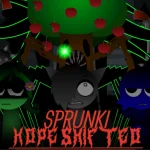
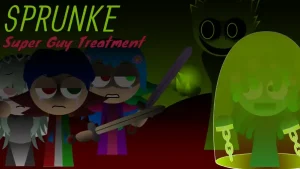
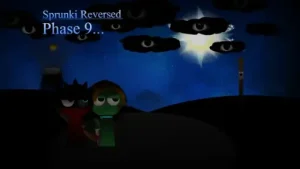
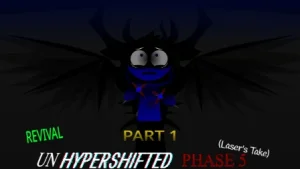
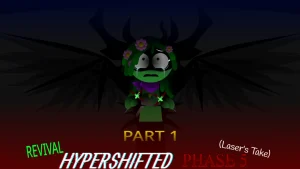
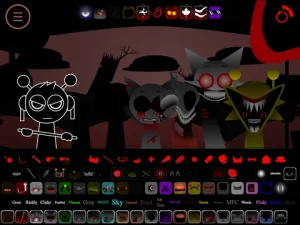
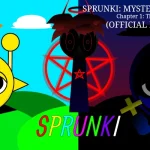
A pitch-black stage emerges, dominated by a dark visual vortex where shadow-draped silhouettes take their positions. In this eerie soundscape, familiar rhythms decay into haunting backwards vocal chops, low-frequency synthesis, and murky loops. Sprunki But Shifted Phase 5 Revival Reversed takes the unsettling audio design of Sprunki Phase 5 and turns it inside out, executing beat stems and synth loops in reverse to heighten the surrounding dread.

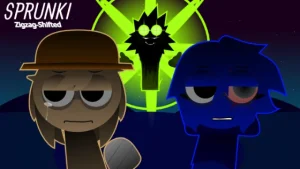
Rather than aiming for bright harmonies or competitive high scores, this mod invites players into an eerie, experimental sound sandbox. The standard performer lineup appears as stark black silhouette figures, delivering low-register synth tones and distorted vocal layers. Subtle Anti-Shifted sound variations deepen the horror tone, turning simple arrangements into sinister beat tapestries. For players who explore the selection screen closely, mysterious on-screen prompts reveal extra hidden characters waiting to be discovered.

Crafted by mod author @EstevanBustillos, Version V1.0 presents an open mixing canvas designed purely for creative sound design. Unbound by level timers, objective constraints, or point totals, players are free to stack tracks, alter pitch levels, and adjust audio effects on the fly. This community-submitted mod is now available to play directly in your web browser on Sprunki.cool, offering fans of dark experimental beats an unsettling musical playground.

Join The Conversation

Share your thoughts and experiences with other players

Click to load the comment system and start chatting with other players

How to Play Sprunki But Shifted Phase 5 Revival Reversed

1

Select Silhouette Characters

Drag character icons onto the stage area to activate their muted beats, twisted melodies, and reversed vocal loops.

2

Layer Multi-Track Audio

Combine multiple character tracks simultaneously to build complex, unsettling rhythms and layered horror atmospheres.

3

Adjust Effects and Pitch

Use the interface icons below the stage to alter pitch levels, balance volume, or apply audio effects to individual stems.

4

Discover Hidden Performers

Explore the selection menu to reveal extra hidden characters tucked away within the dark roster.

Mixing Tips & Unlocks

  • Search for Hidden Roster Slots

    Pay attention to hints on screen and extra menu spaces to locate secret characters for additional vocal and instrument options.

    Listen closely when combining reversed loops to ensure low synth frequencies remain clear.

  • Balance Audio Levels via Controls

    Utilize the bottom control icons to fine-tune volume and pitch, keeping dense, distorted vocal chops from crowding the main rhythm.

Key Features & Audio Aesthetics

1

Reversed Audio Processing

Utilizes backward-played vocal samples, reversed loops, and low-frequency synth effects to craft a distinct horror atmosphere.

2

Swirling Silhouette Visuals

Presents performers as black silhouettes against a dark vortex backdrop, contrasting with traditional bright Sprunki designs.

3

Extra Hidden Characters

Features secret roster options for players to discover, adding unique sound layers and audio stems to the stage.

4

Open-Ended Mixing Canvas

Operates without scores, timers, or failure states, giving players full creative freedom to build long or short experimental mixes.

Why Play Sprunki But Shifted Phase 5 Revival Reversed?

" Unravel eerie reversed soundscapes beneath a swirling visual vortex. "

" Layer silhouette rhythms and low synth tones in an open horror sandbox. "

Frequently Asked Questions