



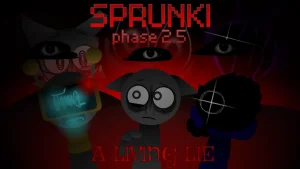



Sprunki Colorshifted Phase 3 (Chance's Take)

What Is Sprunki Colorshifted Phase 3 (Chance's Take)?

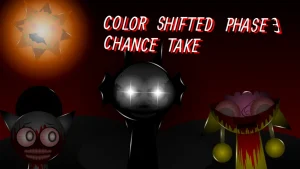
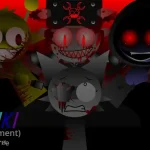
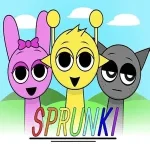
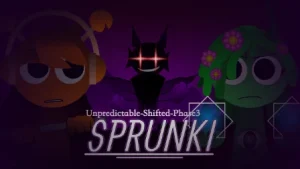
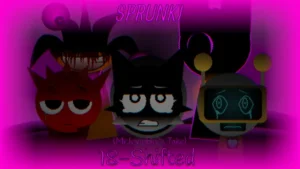
A sudden rotation across the rainbow chart turns familiar faces into vivid visual contrasts—Oren adopts Raddy's fiery red tone while Raddy inherits Oren's warm orange hue. Every beat dropped onto the stage triggers dynamic real-time color transitions across the screen, turning traditional beatcraft into a shifting visual pulse wrapped in an eerie, ominous atmosphere.

Building upon the dark framework of Sprunki Phase 3, this iteration pairs drag-and-drop sound mixing with dark horror motifs, fluid transition animations, and unlockable visual modes. Beneath the surface of the soundstage lie hidden character appearances and unexpected narrative twists that emerge as you layer deep basslines, creepy vocal chops, and sharp percussion.

The project has sparked active interest across the player community, with community members like LOLFN7 drawing inspiration from its unique audio design. Development choices also generated discussion around character appearances—specifically regarding Tized's inclusion, where project creator @chancedesignpro explained using older design assets due to missing updated files. Crafted by a team comprising @chancedesignpro, @The_EpokArtem, @ChancesTabletAcc, @HoodedStarBoi, @x0MDW, @touchgrass, @Brudthebread, and @SapnaThakur, version V3.0 delivers remade audio clips alongside refined visual syncing.

This community-submitted mod is now available to play on Sprunki.cool. If you enjoy eerie audio mixing, spectrum-swapped character aesthetics, and real-time visual atmosphere, Chance's Take offers a distinct and haunting spin on Phase 3 beatmaking.

Join The Conversation

Share your thoughts and experiences with other players

Click to load the comment system and start chatting with other players

How to Play Sprunki Colorshifted Phase 3

1

Assign Audio Loops

Click or drag character icons into the track area on the left to activate their vocal and instrumental sounds.

2

Adjust the Mix

Click or drag active characters to remove or fine-tune their audio tracks in real time.

3

Use Shortcut Keys

Employ keyboard shortcuts to quickly swap sound sets or toggle visual and audio effects on the fly.

4

Unlock Horror Modes

Experiment with specific sound combinations to trigger hidden narrative twists, secret characters, and dark horror variations.

Mixing & Performance Tips

  • Watch the Color Flashes

    Pay attention to screen color changes as you drop new tracks—they align directly with tone switches in the loop.

    Certain hidden story twists only emerge when specific character sound groups play together.

Key Features of Chance's Take

1

Rainbow Color Shift System

Characters are shifted along the rainbow spectrum, swapping visual tones like Oren's red treatment and Raddy's orange palette.

2

Real-Time Visual Sync

Audio transitions actively shift screen colors in synchronization with your custom track's rhythm.

3

Remade Audio in V3.0

Version V3.0 updates sound builds and adds fluid transition animations to deepen the horror atmosphere.

Why Play Sprunki Colorshifted Phase 3 (Chance's Take)?

" A spectrum-swapped spin on Phase 3 beatmaking. "

" Sync dark loops with shifting visual hues. "

Frequently Asked Questions