


















Sprunki - Destrucked (Plus-Shifted)

What Is Sprunki - Destrucked (Plus-Shifted)?

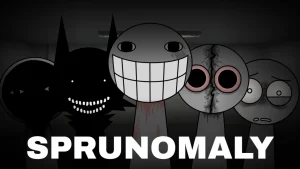
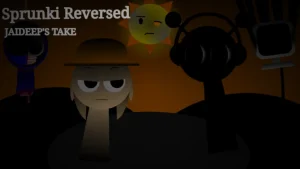
A stark off-white backdrop, deep black character silhouettes, and vibrant audio icons set the stage for Sprunki - Destrucked (Plus-Shifted). Stepping into the dark aesthetic of the Shifted universe—similar in visual tone to companion fan projects like Sprunki Three Quarter Shifted—this edition transforms standard sound mixing into a monochromatic audio showcase. Characters stand in shadow until assigned colorful sound icons, instantly layering rhythmic beats, vocal chops, and ambient effects into an evolving loop.

Beyond its high-contrast visual redesign, this version focuses heavily on flexible audio experimentation. Players can drag multiple performers onto the stage at once, allowing the entire roster to sing in unison without track limitations. A cryptic prompt resting above the stage hints at secret roster additions waiting to be uncovered within the selection screen. Built-in speed adjustment controls and remade audio tracks give players direct control over the pacing and texture of their dark musical arrangement.

Crafted by creator @Amer-MG as their debut project in the Shifted lineup, V1.0 expands on core Shifted aesthetics with fresh character updates and remade sound effects. Reflecting on the release, @Amer-MG shared enthusiasm for launching their first Shifted mod and invited players to create and share video showcases of their custom tracks. This community-submitted mod is now available to play on Sprunki.cool. Free from score counters, timers, or fail states, Sprunki - Destrucked (Plus-Shifted) offers a relaxed yet eerie music sandbox designed purely for open-ended sound design.

Join The Conversation

Share your thoughts and experiences with other players

Click to load the comment system and start chatting with other players

How to Play Sprunki - Destrucked (Plus-Shifted)

1

Drag Characters onto the Stage

Select silhouette figures from the roster and place them onto the interactive stage to prepare your performance.

2

Assign Sound Icons

Match colorful sound icons to characters to trigger specific beats, vocal loops, and sound effects.

3

Explore Hidden Roster Slots

Inspect the character selection interface to discover secret extra characters hinted at in the top menu prompt.

4

Adjust Playback Speed

Use tempo adjustment options to speed up or slow down your multi-track mix in real time.

Creative Tips & Mixing Advice

  • Combine Multiple Vocal and Beat Loops

    Since there are no restrictions on how many characters can perform at once, layer rhythmic vocals over heavy beats to build complex compositions.

    Some updated sound files and character states remain experimental, so sound density can build up rapidly when every slot is filled.

Key Features & Audio Traits

1

Dark Silhouette Art Style

Features high-contrast black character silhouettes paired with an off-white background and vibrant audio icons.

2

Simultaneous Full-Cast Chorus

Allows all characters on stage to perform together at once for dense, multi-layered audio arrangements.

3

Hidden Character Hints

Teases undisclosed extra figures within the selection menu for players to uncover as they experiment.

4

Score-Free Sandbox

Omits competitive modes, win conditions, and failure mechanics to keep the focus entirely on creative mixing.

Why Play Sprunki - Destrucked (Plus-Shifted)?

" Layer dark silhouettes and hidden soundscapes in an open-ended music sandbox. "

Frequently Asked Questions