







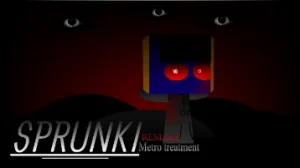



















Sprunki KATS HORROR MODE!

What Is Sprunki KATS HORROR MODE!?

Get ready for a spine-tingling musical adventure! @Gooseguy2025 transforms the beloved Sprunki universe into a horror playground with Sprunki KATS HORROR MODE! This community-created MOD, currently at V2.0 (updated January 14, 2026), brings frightening feline characters to life on sprunki.cool. Originally shared on cocrea, this unofficial creation lets young music makers explore the darker side of beat-making.

What makes this MOD special? Cat-themed horror characters replace the classic Sprunki crew, each bringing unique spooky sounds to your compositions. The horror mode transformation adds creepy visual effects and eerie audio layers that respond to your musical choices. Drag and drop scary cat characters onto the stage, combine their frightening sounds, and watch as your horror symphony comes alive with animated reactions and dark atmospheres.

This fan-made experience welcomes creative remixers and encourages community engagement. As a MOD, it represents the passion of independent creators building upon the Sprunki foundation. Young composers can experiment with spooky soundscapes while learning music creation basics in a playful, Halloween-inspired setting.

This guide for Sprunki KATS HORROR MODE! was created with AI assistance. While we've aimed to provide accurate information, for the most up-to-date details, please check the official game page on sprunki.cool.

Join The Conversation

Share your thoughts and experiences with other players

Click to load the comment system and start chatting with other players

Scary Cat Sound Mixing Basics

1

Pick Your Scary Cats

Start by choosing from the lineup of horror-themed cat characters. Each feline friend has a different spooky sound - some meow with ghostly echoes, others purr with creepy vibrations. Click on a cat to hear its sound preview before adding it to your mix.

2

Build Your Horror Beat

Drag scary cats onto the empty character slots on stage. As you add more cats, their sounds layer together to create your unique horror symphony. Try different combinations to discover which cats sound best together and create the spookiest atmosphere.

3

Activate Horror Mode

Watch for special visual cues that trigger horror mode transformations. When activated, your cat characters change appearance and unlock bonus creepy sound effects. Experiment with timing and character placement to maximize the frightening fun in your musical creation.

Spooky Beat Secrets

  • Layer Sounds Slowly

    Don't rush to add all your scary cats at once! Start with one or two characters and listen carefully to how their sounds work together. Add new cats one at a time to build complexity gradually and discover which combinations create the spookiest, most satisfying horror beats.

    Advanced tip: Try removing characters mid-song to create dramatic silent moments, then bring them back for a frightening sound explosion. This creates tension and release that makes your horror music more exciting and dynamic.

  • Experiment with Character Positions

    The order you place your scary cats can change how the sounds blend together. Try swapping character positions to hear how different arrangements affect your mix. Some cats sound better as background layers while others shine as the main melody in your spooky composition.

    Pro strategy: Place cats with deeper, rumbling sounds on the left side and higher-pitched scary sounds on the right to create a balanced stereo effect that makes your horror beat sound more professional and immersive.

Horror Mode Special Powers

1

Frightening Feline Cast

Every character in this MOD has been reimagined as a horror-themed cat with unique personality and sound. From ghost cats to zombie kitties, each character brings distinctive spooky audio elements that blend together for endless creative combinations in your musical mixes.

2

Dark Visual Transformations

Horror mode isn't just about sound - watch as the entire stage transforms with creepy lighting effects, shadowy backgrounds, and character animations that respond to your beat. The visual atmosphere intensifies as you layer more sounds, creating an immersive scary experience.

3

Community MOD Creation

This unofficial fan creation showcases the creativity of the Sprunki community. Built by passionate creators who love both music games and horror themes, it demonstrates how players can reimagine familiar gameplay with fresh, spooky twists while maintaining the accessible music-making fun.

Why Play Sprunki KATS HORROR MODE!?

" Mix beats with scary cats in horror mode! "

" Create spooky music with frightening feline friends! "

" Turn cute cats into creepy composers! "

Horror Cat Questions Answered