








Sprunki Medusa Taco's Sandbox

What Is Sprunki Medusa Taco's Sandbox?

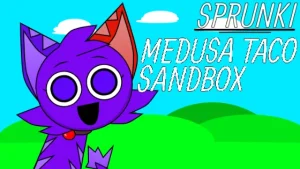
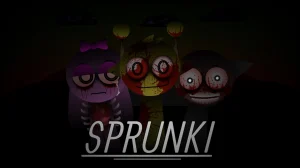
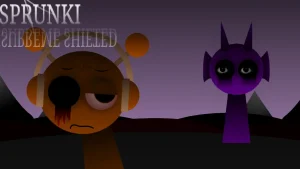
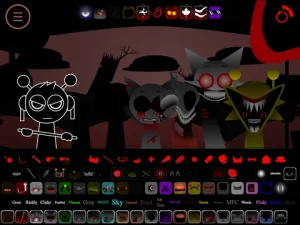
Gleaming tooth flashes, looming shadow trails, and vibrant musical loops transform the classic soundboard stage into a custom creative studio. Sprunki Medusa Taco's Sandbox builds upon the traditional Sprunki arrangement core by introducing Medusa Taco's original character lineup. From Durple's flashing smile to Jevin's dark visual aura, each cast member brings distinct visual animations and audio layers to the timeline.

The sandbox distributes its sound catalog across three core categories: percussive sound effects, melodic hooks, and vocal tracks. Players can freely arrange these tracks on the canvas to build original rhythm scenes, supported by an updated horror sound set that adds eerie intensity to performance loops. Community feedback highlights the high energy of the mix, with players reacting to dramatic visual moments—such as characters morphing into fierce shark-like figures—while engaging in active discussions regarding character phase designs.

Crafted by creator Elizaveta (known as @MedusaTacoOfficial and @MedusaTacoBlackmoon) featuring contributions from @thanatiawashere, this V2.0 update provides real-time control over arrangement preview, volume, and rhythm parameters. For fans exploring custom character takes alongside releases like Sprunki Medusa Tacos Take Episode 6, this community-submitted title is available to play directly in your web browser on Sprunki.cool as a freeform soundboard experience.

Join The Conversation

Share your thoughts and experiences with other players

Click to load the comment system and start chatting with other players

How to Play Sprunki Medusa Taco's Sandbox

1

Select Character Units

Choose original characters such as Durple or Jevin from the bottom selection roster.

2

Place on Stage Canvas

Drag your selected characters onto the timeline or canvas to activate their assigned audio loops.

3

Mix Sound Categories

Combine sound effects, melody loops, and vocal tracks to construct a multi-layered rhythm arrangement.

4

Adjust Audio & Live Preview

Fine-tune tempo and volume parameters while listening to real-time mix updates.

Rhythm Building Tips

  • Layer Sound Types Gradually

    Establish a beat foundation using percussive effect characters before layering melody lines and vocal loops on top.

    Keep track of volume balance across vocals and melodic lines to keep individual tracks clear.

Key Sandbox Features & Visual Details

1

Original Character Cast

Includes Medusa Taco's OCs featuring tailored animations, such as Durple's shining teeth and Jevin's shadow effects.

2

Three Sound Classifications

Audio tracks are organized into dedicated effect, melody, and vocal types for clean sound layering.

3

Updated Horror Audio

Features refreshed horror sound updates that introduce darker atmosphere options into character tracks.

4

Unrestricted Sandbox Mode

Provides an open-ended soundboard setup without level timers, scoring systems, or fixed play paths.

Why Play Sprunki Medusa Taco's Sandbox?

" Arrange original characters and custom sound categories in a freeform audio sandbox. "

Frequently Asked Questions