



![Sprunki Sprunkatool [OFFICIAL]](https://sprunki.cool/wp-content/uploads/2026/09/sprunki-sprunkatool-official-300x169.webp)
![Sprunkilarity [Niki's Take]](https://sprunki.cool/wp-content/uploads/2026/09/sprunkilarity-nikis-take-300x223.webp)
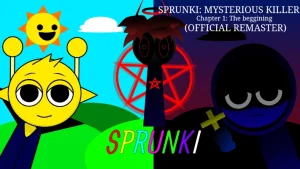








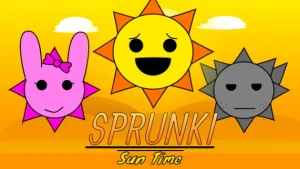
The sky has turned into a giant interactive playground where a massive, glowing sun controls the day, night, and every sound you make, and a fresh face has stepped onto the scene to completely reanimate this solar sandbox for the July 2026 release. In this bright world, the giant star reacts to your every move, casting brilliant rays across the screen or hiding behind cool sunglasses when you click him. The creators have officially finished Phase 2, giving players a whole new way to play with light, shadows, and voice-mimicking features right in their web browsers. It brings a lively, cartoonish energy to your screen, making the entire sky feel alive as you click around.
For players just starting out, the main loop is all about experimenting with the mouse and your microphone. You can drag Mr. Sun around the screen to cast light beams that reveal hidden elements or change the background from bright day to dark night. If you toggle the microphone option, the character will listen to your voice and repeat your words back to you in a high-pitched, echo-filled tone that sounds incredibly goofy. Clicking the big Burn button triggers a massive Solar Beam that clears puzzles and changes how the environment behaves. Beginners should try switching the weather settings back and forth to see how the sun's expressions shift under different conditions.
This mod fits right into the wider Sprunki universe as a highly interactive character-focused spin-off. While traditional mods like sprunki phase 2 focus heavily on layering beats and loops on a row of characters, this version zooms in on a single, highly reactive mascot. It takes the classic fan-made music-making formula and blends it with light-based puzzle mechanics. Fans of the community love how these creative takes expand what a simple browser mod can do on sprunki.cool. It shows how far creators can push the basic engine when they focus on a single character's personality.
When you compare this reanimated version to older editions like sprunki durple time phase 2, the visual feedback is much more reactive. Instead of just playing a static loop, the sun changes expressions, flashes brilliant light, and interacts directly with the weather controls you toggle. The addition of the microphone mimicry adds a layer of chaotic fun that standard music mods do not have. It shifts the focus from building a perfect song to playing with a living, breathing sound toy. You can spend minutes just watching how the light beams bounce off the background elements as you drag the character around.
Community feedback has been quite positive, with players like i make it now calling the update nice and not bad. Some players have pointed out that the microphone feature can sometimes be a bit finicky depending on your browser settings, so you might need to check your permissions if the sun stays quiet. There is also a slight learning curve to figuring out how the day and night cycles affect the hidden puzzles. Overall, if you enjoy weird interactive soundboards and quirky animations, this update is absolutely worth checking out for a quick, sunny session.
Loading comments...