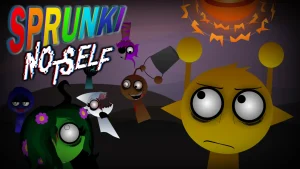







Sprunki Notself

What Is Sprunki Notself?

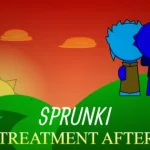
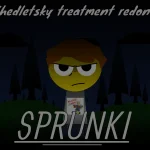
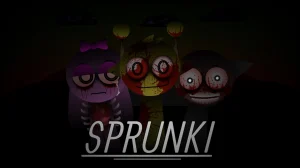
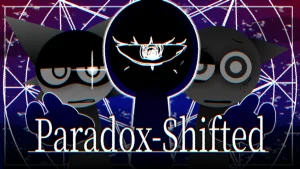
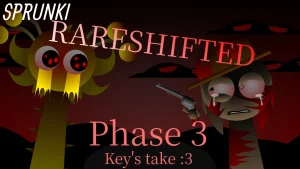
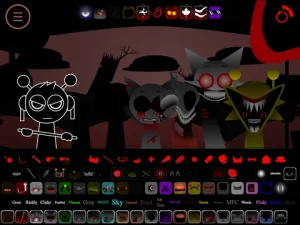
Arranging character icons onto seven active audio slots in Sprunki Notself builds an evolving, layered electronic rhythm. The musical atmosphere turns eerie when the black top hat icon is selected—the screen goes dark, shifting the bright cartoon cast into a haunting horror mode where characters take on injured and crazed visual transformations.

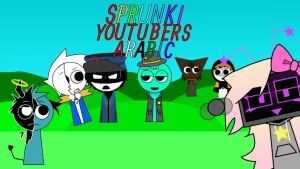
The roster features twenty characters divided into four distinct audio roles: beats, effects, melodies, and vocals. Players can mix and match these categories to build custom tracks and trigger animated sequence bonuses. Community interactions highlight unexpected stage combinations—such as seeing Wenda, Gray, Vineria, and Pinki perform together—as well as memorable audio additions like MFC's standout lyrical vocal tracks.

Originally set aside for over a year before being picked up again, this project was developed by creator @FrankoLoqualde. Reflecting on its development, @FrankoLoqualde built custom sound elements from scratch, including handcrafted chromatics such as BigBplus's sound, while noting that certain character animations remain a work in progress intended for future refinements.

Now available to play on Sprunki.cool, this community-submitted mod delivers a unique blend of rhythm building and atmospheric shifts, complete with playful surprises like the occasional appearance of a Deltarune tree upon launch for observant players.

Join The Conversation

Share your thoughts and experiences with other players

Click to load the comment system and start chatting with other players

How to Play Sprunki Notself

1

Build Your Audio Track

Drag and drop up to seven character icons from the lower tray onto the active track slots to arrange your music in real time.

2

Trigger Horror Mode

Select the black top hat icon to trigger a full-screen transition that switches all active characters to their dark horror variants.

3

Reset the Audio Stage

Click the reset button located in the top-right corner of the interface to remove all active icons and restore characters to their default forms.

Performance & Mixing Tips

  • Restart to Clear Visual Stalls

    If loading stalls or animations pause on boot, click the green flag button multiple times to refresh the scene.

    Some character animations are currently unfinished and will receive future updates.

  • Highlight Lyrical Vocal Layers

    Pair lyrical performers like MFC alongside heavy beat channels to build distinct melodic hooks within your mix.

Key Features & Audio Mechanics

1

20 Character Sound Library

Includes 20 individual characters categorized across beats, effects, melodies, and vocal tracks for diverse sound combinations.

2

Dual Visual Modes

Features a dual-style design where standard cartoon visualizers transform into crazed, injured horror modes.

3

Custom Handcrafted Chromatics

Includes unique vocal and melodic chromatics crafted directly by mod author @FrankoLoqualde.

4

Animated Combo Bonuses

Unlocking specific character configurations across active slots triggers custom animated music video sequences.

Why Play Sprunki Notself?

" Layer electronic beats and eerie vocal tracks in a revived Sprunki remix experience. "

" Shift from bright melodies to dark soundscapes with twenty distinct audio performers. "

Frequently Asked Questions