








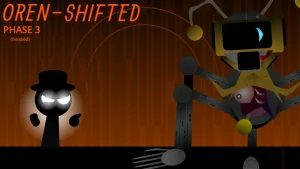

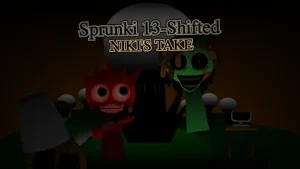
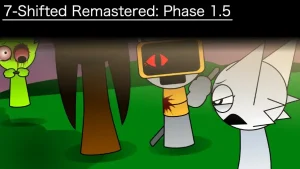
Sprunki Phase 1.3 (Gjvmfh1’s Take)

What Is Sprunki Phase 1.3 (Gjvmfh1’s Take)?

The uncanny phases of Sprunki have always carried a strange pull, and Sprunki Phase 1.3 (Gjvmfh1's Take) leans into that unsettling atmosphere from the very first beat. This fan-made version arrives with an updated gallery, giving returning players something new to browse after their first few sessions. Originally crafted by @gjvmfh1 on cocrea, it's now playable directly on sprunki.cool without any download.

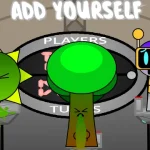
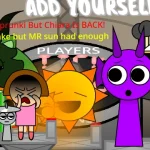
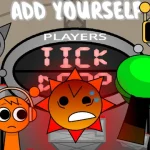
Mechanically, the experience follows the drag-and-drop structure the series is known for. You pick character icons from a panel below the main screen and drop them onto singers to assign beats and vocal styles. Each figure contributes a different sound layer, so the order and combination you choose shapes the final track. The controls are straightforward enough that even first-timers can assemble something listenable within minutes.

Players tracking alternate universe variants have asked whether this take connects to the broader Phase 1.3 AU lore documented across fan wikis. Based on the available description, the page itself is still being expanded, so some narrative details remain open-ended. That said, the updated gallery content suggests the creator is actively adding material rather than leaving the mod static.

If you enjoy experimenting with sound combinations and don't mind a slightly incomplete lore picture, this is a solid browser session. Those who want a fully fleshed-out story might want to wait for further updates.

Join The Conversation

Share your thoughts and experiences with other players

Click to load the comment system and start chatting with other players

Getting Started with Drag-and-Drop Beats

1

Drag Icons onto Singers

Select a character icon from the bottom panel and drop it onto one of the singers on the main screen to activate their unique beat.

2

Explore Every Sound First

Before building a full track, test each vocalist individually to understand what each one contributes to the mix.

3

Check the Updated Gallery

The creator has added new gallery content in this version, so take a moment to browse it after your first composition.

Making the Most of Your First Session

  • Start Simple, Then Layer

    Place one or two characters first to establish a base rhythm before filling all available slots.

    Removing a character mid-track can create interesting breaks in the beat.

  • Revisit After Updates

    Since the creator is actively adding content, checking back later may reveal new gallery entries or sounds.

    The AU wiki page for Phase 1.3 is also being expanded over time.

What This Version Brings to the Table

1

Drag-and-Drop Interface

The familiar control scheme lets you assign sounds by dragging character icons onto performers, keeping the learning curve gentle.

2

Updated Gallery Content

New gallery material has been added in this release, giving players additional visual content to explore beyond the music maker.

3

Browser-Based Playback

Everything runs directly in your browser on sprunki.cool with no installation required.

Why Play Sprunki Phase 1.3 (Gjvmfh1’s Take)?

" Drag, drop, and discover the gallery update. "

" One creator's spin on the Phase 1.3 formula. "

" Build beats in your browser, zero installs. "

Common Questions About This Phase 1.3 Take