








Sprunki Phase 11 GgTP

What Is Sprunki Phase 11 GgTP?

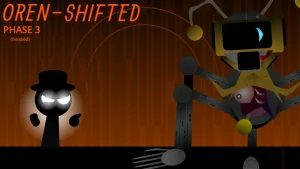
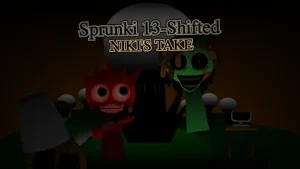
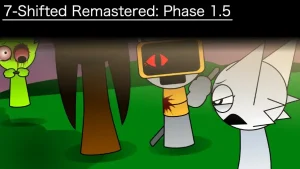
A digital infection has swept through the world of Sprunki Phase 11 GgTP, turning a cheerful cast into neon-glowing entities consumed by a mysterious force. You should try this mod right now to see how the Dark Rhythm Revolution transforms standard music mixing into a creepy, atmospheric experience. As the Conductor, you aren't trying to cure these characters, but rather using their corrupted frequencies to stabilize a glitching reality. You can jump straight into the action at sprunki.cool without needing any downloads.

To get started, simply drag sound icons—divided into beats, effects, melodies, and vocals—onto the 15+ animated characters. Listen for how the background shifts colors based on your mix's intensity; a perfect harmony triggers a brilliant neon aura, while discordant sounds cause the screen to flicker with creepy static. You can use the mute and solo buttons to create tension, building up to a massive drop by bringing the heavy bass back in all at once.

This version stands out from earlier phases because of the Outfit-Based Audio Changes. Unlike basic versions, swapping a character's skin actually changes their sound output, such as a darker costume producing a heavier bass line. You'll also notice the addition of The Glitch, a new entity that provides erratic electronic effects. If you want to see how the series evolved, checking out Sprunki Phase 10 Ggtp helps put the current chaos into perspective.

Looking at the available versions, the DELUXE and "LAST UPDATE!!!!" editions by Siamesecat provide the most complete experience. These updates focus on a major audio overhaul where bass lines hit harder and melodies are clearer. The inclusion of a recording function means you can export your dark symphonies as audio or video clips to share. This makes the mod feel less like a simple toy and more like a tool for creating viral, horror-themed tracks.

This mod is a great fit for anyone who loves creepy aesthetics and intuitive music creation. If you enjoy experimenting with atmospheric soundscapes, you'll find plenty to do here. However, keep in mind that the horror elements and visual glitches are a core part of the vibe, so it might be too intense for players who prefer the original, bright Sprunki style. For a slightly different take on this phase, you might also try Sprunki Phase 11 Ggtp Deluxe.

Join The Conversation

Share your thoughts and experiences with other players

Click to load the comment system and start chatting with other players

Beginner's Mixing Guide

1

Build Your Foundation

Start by dragging a bass icon onto Simon, the Bass Architect. Since he provides the heavy, pulsating foundation of the track, having him active first makes it easier to layer other sounds. Once the beat is steady, add Oren for rapid-fire snare and hi-hat combinations to give your song a professional rhythmic drive before adding any melodies.

2

Layer Ethereal Vocals

Once your rhythm is set, add Wenda to introduce haunting, echoing vocals. To avoid a cluttered sound, limit yourself to no more than two vocalists at once. This allows the eerie ambient atmosphere to breathe and ensures that Wenda's glitch animations and high-pitched tones cut through the heavy bass without sounding messy.

3

Experiment with Outfits

Don't just stick to the default looks; click on characters to swap their outfits. Because different skins change the audio output, a neon outfit might trigger ethereal vocals while a dark one deepens the bass. Constantly swapping skins is the best way to find hidden vocal harmonies or rare synth stabs that change the entire vibe.

Pro Mixing Tips

  • Balance Your Frequencies

    Avoid overcrowding your mix with too many high-pitched melodies or vocals. Let the ambient sounds breathe to maintain the creepy atmosphere.

    Use the mute feature to remove a vocalist right before a beat drop for maximum impact.

  • Watch the Screen Glow

    Use the background colors as a guide. If the screen is glitching uncontrollably, your sounds are likely clashing and need adjustment.

    Aim for the smooth neon aura to confirm you've hit a perfect musical harmony.

Standout GGTP Features

1

Dynamic Visual Feedback

The environment reacts in real-time to your music. Achieving harmony creates a neon glow, while clashing sounds trigger visual glitches and static, giving you a visual cue to adjust your mix.

2

Outfit-Linked Audio

Customization actually affects the sound. Changing a character's clothes alters their frequency or tone, allowing for deeper musical variety than standard drag-and-drop music mods.

3

Session Recording

The built-in recording tool lets you capture your mixing sessions. You can export these as high-quality audio or video files, making it easy to share your creations on social media.

Why Play Sprunki Phase 11 GgTP?

" Harness the GGTP anomaly for haunting beats "

" Turn neon horror into a musical masterpiece "

" Command the void with the Dark Rhythm Revolution "

GGTP Troubleshooting & FAQ