









Sprunki Phase 12 Remastered But Phase 3 Version

What Is Sprunki Phase 12 Remastered But Phase 3 Version?

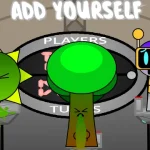
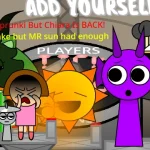
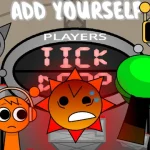
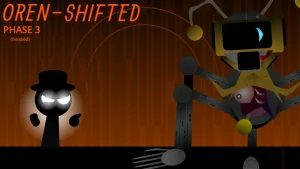
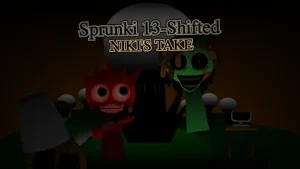
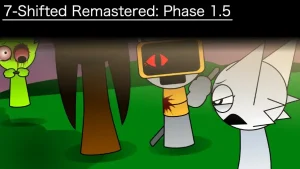
Drag your first character onto the screen to see how this quick V1.0 mashup completely changes the game by blending two totally different eras of fan-made history. This version matters right now because it takes the dark, intense reskin elements of Phase 12 and forces them into the classic, chaotic structure of Phase 3. Instead of the usual setup, you are getting a fast-paced remix that creator @gjvmfh1 built in just about three hours of work time. It is a weird, experimental crossover that lets you test how the eerie vibes of the newer phases sound when they are stuffed back into an older, fan-favorite layout.

When you start a new mix on sprunki.cool, your main goal is to drop different sound icons onto the characters and listen to how they layer together. For beginners, the best move is to start with the basic beats on the left before you pile on the heavy horror vocals or glitchy effects. Watch how the characters react when you swap their outfits, as each color group brings a specific type of loop to the table. You want to build a steady rhythm first, then slowly introduce the creepy melodies to keep the track from turning into pure noise too quickly.

Sprunki is a massive, fan-driven music-mixing ecosystem where players use simple drag-and-drop mechanics to create their own custom beats and horror tracks. Within this universe, creators constantly build custom mods, character swaps, and phase variations to expand on the original formula. This specific mod serves as a unique crossover, bridging the gap between two distinct community eras. Fans of the series love these mashups because they offer a fresh way to experience familiar sounds and visual themes in a completely new context.

What makes this version stand out is how it handles its roots. The original Phase 12 is famous for being a direct reskin of the intense Paranoia Box Chapter 3 from the Incredibox Encounter series, while Phase 3 was originally crafted by Adamko2707 as a classic fanmade continuation. By blending these two distinct styles, this mod gives you the unsettling visual design of the later phases but keeps the gameplay flow of the older Phase 3. It is a cool way to see how the community's design trends have shifted over time, especially if you compare it to other releases like Sprunki Phase 12.

Players looking for a massive, feature-heavy expansion should know that this is a highly focused, bite-sized release. The creator openly shared that this V1.0 build was put together in a single three-hour session, meaning it is more of a fun, quick experiment than a fully polished, multi-phase epic. If the community enjoys this quick test, the author has teased plans for an OG Phase 4 version and a Swap 2 version next. For now, expect a short, creepy, and highly experimental soundboard that shows off what a passionate creator can whip up in just one afternoon.

Join The Conversation

Share your thoughts and experiences with other players

Click to load the comment system and start chatting with other players

Beginner Mixing Guide

1

Start with the Base Beats

When you first load into the game, do not rush to drop every single icon at once. Start by dragging the basic rhythm and beat characters onto the stage first. This helps you establish a solid musical foundation before the track gets too chaotic. Listen to how the low-end loops interact, and make sure you have a steady groove going before you introduce the creepier, high-pitched sounds.

2

Layer the Horror Vocals Slowly

Once your rhythm is locked in, begin adding the eerie vocals and melodic loops inspired by the Paranoia Box style. These sounds can easily overpower your mix if you drop them in all at once. Try adding them one by one, observing how each new layer changes the overall mood of the track. If a sound feels too distracting, swap it out for a softer effect to keep the mix balanced.

3

Experiment with Character Swaps

Do not be afraid to clear your board and try entirely different character combinations. Since this mod is a quick mashup of Phase 12 and Phase 3 elements, some combinations will sound much more cohesive than others. Pay close attention to how the visual designs of the characters match their audio loops, and try to find the hidden synergies that make the track sound like a complete song.

Pro Mixing Tips

  • Build Your Mix Step-by-Step

    Avoid dragging all the characters onto the screen at the very start. Piling on too many sounds at once will make your track sound messy. Instead, introduce one sound at a time to hear how they blend.

    Focus on pairing the heavy bass loops with the lighter vocal effects first to create a clean, balanced contrast in your mix.

  • Watch the Visual Cues

    Pay close attention to the animations of the characters as you activate them. The visual feedback can help you time your drops perfectly, ensuring that your loops start on the right beat.

    If the audio starts to feel too chaotic, look at which characters are moving the fastest and try muting them first to restore order.

Key Mod Features

1

Unique Phase Mashup

This mod brings together the distinct visual style of Phase 12 and the classic structure of Phase 3. It offers players a rare chance to see how different eras of fan-made history blend together in one quick, playable package.

2

Paranoia Box Visual Influence

Enjoy the unsettling, dark aesthetic inspired by the famous Paranoia Box reskins. The eerie character designs add a spooky atmosphere to your music-making session, making every mix feel like a mini horror soundtrack.

3

Fast-Paced Experimental Gameplay

Built in just about three hours of work time, this V1.0 release is designed for quick, fun sessions. It is the perfect playground for players who want to test out weird sound combinations without getting bogged down by overly complex mechanics.

Why Play Sprunki Phase 12 Remastered But Phase 3 Version?

" Experience the creepy Paranoia Box style mashed with classic Phase 3 beats! "

" A quick, three-hour experimental crossover by @gjvmfh1. "

" Test your mixing skills in this unique V1.0 fan-made mashup! "

Frequently Asked Questions