










Sprunki Phase 12 Remastered But Swap

What Is Sprunki Phase 12 Remastered But Swap?

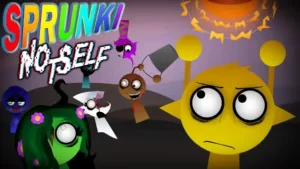
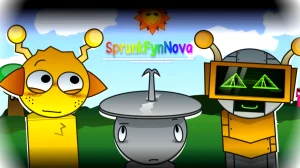
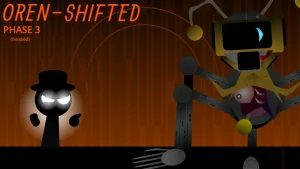
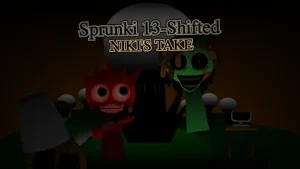
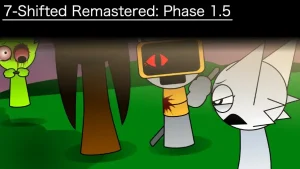
Compared to the original Sprunki Phase 12 Remastered by Footlong Nachos, this new V1.0 mod swaps the character roles to create a completely different sound mix. Creator @gjvmfh1 released this version after a short delay to give players a fresh way to experience the phase. New players will immediately notice that the familiar icons do not make their expected sounds. This swap mechanic changes how you build your first beat. It forces you to experiment with new character pairings right from the start. You must drag and drop icons onto different slots to see which vocals now match the rhythm tracks.

Beyond the basic character swaps, the mod alters the visual cues and sound layers to fit the swapped theme. The layout remains familiar, but the audio feedback is entirely rearranged. You will hear different vocal loops and rhythm tracks attached to unexpected designs. This version serves as a stepping stone for upcoming releases like the Swap Reversed Version and the Swap 2 Version. It keeps the core assets of the remastered phase but scrambles the arrangement. Beginners can use this version to train their ears to recognize individual sound stems. It helps you understand how different layers interact when the standard rules are thrown out.

In the wider Sprunki universe, fan-made mods often take established phases and remix them to test new creative boundaries. These community extensions allow players to interact with familiar characters in horror, swap, or reversed settings. This specific mod fits into the swap sub-genre, which challenges players to rethink their music-making strategies. By shuffling the sound roles, it turns a familiar music-mixing sandbox into a fresh puzzle. You cannot rely on your old memory of where the beats and vocals are. Instead, you have to listen closely to each new combination to build a balanced mix.

The creator apologized for an eight-day delay before launching this V1.0 build, but the wait has brought a stable starting point. Players looking for the OG Phase 3 Version or other planned updates will find this swap mod to be a great preview. The developer has already teased more variations to expand this specific swap collection. This active update cycle shows how quickly fan-made takes evolve based on player interest. It gives beginners a direct look at how a simple concept can grow into a larger series of mods. You can follow the development journey while mastering the current V1.0 layout.

This mod is ideal for players who know the remastered phase by heart and want to test their mixing skills with a chaotic twist. It is less suitable for those who want a standard, predictable music creator or the original untouched soundscape. Beginners should start by dragging one icon at a time to map out the new sound layout. Watch how the animations trigger to see if the visual matches the audio. It is a fun, experimental playground, but do not expect a massive list of brand-new characters. This release is best enjoyed as a quick, playful puzzle for curious minds rather than a complete overhaul of the base game.

Join The Conversation

Share your thoughts and experiences with other players

Click to load the comment system and start chatting with other players

Beginner Step-by-Step Guide

1

Map the Swapped Sounds

Start your session by dragging one character icon onto the stage at a time. Since the roles are completely swapped in this V1.0 version, your memory of the original remastered phase will not help you. Listen closely to each sound loop to identify which character now carries the beat, the vocals, or the effects. Mapping these changes first prevents confusion when you start layering multiple tracks together.

2

Build a Simple Rhythm Foundation

Avoid dragging all your favorite characters onto the board at once. Instead, find the swapped character that controls the main drum loop or bassline. Once you have a steady rhythm playing, slowly add one vocal or melody layer to see how they interact. This step-by-step approach helps beginners avoid chaotic noise and ensures your custom mix remains clean and structured.

3

Observe the Visual Animations

Pay close attention to how the characters move when you place them on the stage. The visual animations can help you identify the timing of the swapped loops. If a character's movement does not seem to match the audio cue, try pairing them with a different rhythm layer. Watching these visual cues is an easy way for new players to sync up their tracks.

Pro Tips for Better Mixes

  • Start with Solo Tracks

    When you first load the mod, mute all but one character. This lets you hear the exact swapped sound loop without any background noise, making it much easier to plan your mix.

    Trying to mix too many swapped characters at once usually leads to a messy wall of sound. Take it slow and build your layers gradually.

  • Compare with the Original

    Keep a tab of the original remastered phase open. Comparing the two versions side-by-side helps you appreciate the clever swaps and understand exactly how the audio roles were rearranged.

    This comparison is the best way to train your ears and spot the subtle changes the creator made in this V1.0 release.

Key Features of the Swap Mod

1

Complete Character Role Swaps

Every single character from the remastered phase has had their sound role swapped. This feature completely changes the musical landscape, forcing you to discover new combinations and audio layers that did not exist in the original version. It turns a familiar setup into a fresh audio puzzle.

2

V1.0 Stable Release

This version offers a stable, fully playable build of the swap concept. Created by @gjvmfh1, it delivers a smooth browser-based experience where all swapped sounds trigger reliably. It serves as the perfect entry point for players before future versions like the Swap 2 Version arrive.

3

Remastered Visual Assets

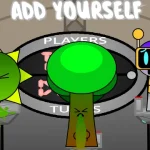
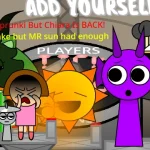
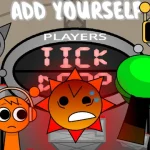
The mod retains the high-quality visual designs from the popular remastered phase. You get to enjoy clean animations and polished character sprites while experimenting with the scrambled audio tracks, offering a great balance of familiar art and brand-new sound combinations.

Why Play Sprunki Phase 12 Remastered But Swap?

" Swap the sounds and scramble your beats in Phase 12. "

" A scrambled remix of Footlong Nachos' remastered classic. "

" Test your mixing skills with swapped character roles in V1.0. "

Frequently Asked Questions