


























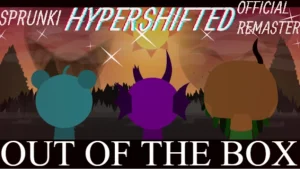
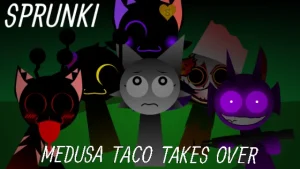
Sprunki Phase 14 (Anniversary Edition)

What Is Sprunki Phase 14 (Anniversary Edition)?

The fanmade timeline of the Sprunki Phases series expands further with the arrival of a mysterious fourteenth chapter. This fan-created universe continues to grow, offering players a new musical landscape to explore. Unlike the official releases, these community-driven phases build upon the established lore, giving fans a new space to interact with their favorite characters in a completely different setting.

Getting the hang of this setup means dragging different characters onto the screen to build your own custom loops. In Sprunki Phase 14 (Anniversary Edition), the core gameplay revolves around mixing and matching various sounds to find hidden combinations. New players can start by dropping basic rhythm loops onto the stage before layering vocals and special effects on top. The game encourages you to experiment with different character lineups, as certain combinations can trigger unique audio responses and visual shifts on your screen. You do not need any advanced musical knowledge to get started; you just need to drag, drop, and listen to how the different layers interact.

The audio design leans heavily into experimental beats and layered melodies that build up as you add more characters to the mix. Visually, the game retains the classic aesthetic of the series while introducing distinct animations for each character as they perform their loops. You will notice subtle changes in the background and character designs as you swap out different sounds, making the visual feedback just as rewarding as the music you are creating. It is all about finding that perfect balance where the beats and the visuals sync up perfectly. The transitions are smooth, and the overall atmosphere keeps you engaged as you try to unlock every possible sound combination.

Behind this release is the creator @winder125, who is celebrating a major milestone with this specific launch. The maker notes that "it's been a year guys after my first mod appearance" and encourages everyone to play and support this mod. This anniversary edition serves as a celebration of that journey, bringing a refined experience to the browser-based platform at sprunki.cool where players can jump in without needing any downloads. It highlights the dedication of individual creators in the community who keep updating and expanding these musical sandboxes for everyone to enjoy.

While the game offers endless music combinations, some players might find the lack of explicit guides or achievement lists a bit challenging at first. However, this design choice actually works in your favor by keeping the focus entirely on discovery and creative freedom. If you enjoyed the earlier chapters like Sprunki Phase 1 or want to see how far the fanmade series has come, checking out Sprunki Phase 14 is a great way to spend an afternoon. It is a solid, creative sandbox that rewards curiosity and playful experimentation. Grab your headphones, start dragging those icons, and see what kind of unique tracks you can put together. The community's dedication shines through in every loop, making this anniversary edition a fitting tribute to a year of creative modding.

Join The Conversation

Share your thoughts and experiences with other players

Click to load the comment system and start chatting with other players

Mastering the Beats of Phase 14

1

Drag-and-Drop Character Placement

The fundamental mechanic of the game involves dragging character icons from the bottom tray and dropping them onto the active stage slots. Each character represents a specific musical layer, such as a drum beat, a vocal line, or a special sound effect. As you place them, they immediately begin looping in sync with the rest of the lineup. To remove a character and quiet their loop, simply drag them off the stage or click the mute button above their slot. This allows you to constantly adjust your mix on the fly.

2

Layering and Sound Balancing

Creating a cohesive track requires careful layering of different sound types. Start by establishing a solid foundation with rhythm and bass characters before adding melodic elements and vocals. If the mix starts to sound too chaotic or cluttered, use the solo and mute functions to isolate specific loops. This helps you identify which sounds work well together and which ones are causing audio clashes. Experimenting with different combinations is key to finding the perfect balance for your custom track.

3

Unlocking Hidden Audio Combinations

One of the most exciting aspects of this phase is discovering hidden combinations that trigger special audio events. By placing specific characters next to each other or building a particular lineup, you can unlock unique sound effects and visual animations. The game does not provide a checklist for these unlocks, so you will need to rely on trial and error. Pay close attention to how the characters react when placed on the stage, as subtle visual cues often hint at a successful combination.

Practical Mixing Advice for New Players

  • Start with the Rhythm Section

    When beginning a new mix, always start by placing the rhythm and beat characters first. Establishing a steady tempo makes it much easier to layer melodies and vocals on top without the track sounding disjointed.

    Look for the characters wearing headphones or carrying instruments, as they usually control the core percussion loops.

  • Use Solo Mode to Troubleshoot

    If your mix starts to sound overwhelming or messy, use the solo button on individual characters to hear their loops in isolation. This helps you understand how each sound contributes to the overall track.

    Isolating vocals can also help you spot subtle harmonies that you might miss when all characters are playing at once.

  • Experiment with Silent Slots

    You don't have to fill every single slot on the stage to make a great song. Sometimes, leaving a few slots empty or muting certain characters creates a nice breakdown that makes the eventual drop feel much more impactful.

    Try muting all characters except the drums for a few bars, then unmute everyone at once for a dramatic effect.

Key Elements of the Anniversary Edition

1

Anniversary Celebration Theme

This edition marks a full year of modding for the creator, bringing a celebratory atmosphere to the gameplay. The design elements and sound loops reflect this milestone, offering a smooth experience that honors the history of the fanmade series. It serves as both a thank-you to the community and a showcase of how the creator's skills have evolved over the past year.

2

Endless Music Combinations

With a diverse roster of characters, the game offers virtually limitless possibilities for music mixing. Players can combine different genres, tempos, and vocal styles to create completely unique tracks. The open-ended nature of the sandbox ensures that no two mixing sessions sound exactly the same, encouraging players to return and try new arrangements.

3

Interactive Visual Feedback

Every character features custom animations that react in real-time to the music. When you place a character on the stage, they don't just play a sound; they perform with unique movements that match the rhythm of their loop. This visual feedback adds an extra layer of engagement, making the mixing process feel like a live performance.

Why Play Sprunki Phase 14 (Anniversary Edition)?

" Celebrate a year of creative modding with experimental beats. "

" Drag, drop, and discover endless musical combinations. "

" Join the anniversary celebration and build your custom loops. "

Frequently Asked Questions About Phase 14