Sprunki Phase 16 [Reupload]

What Is Sprunki Phase 16 [Reupload]?

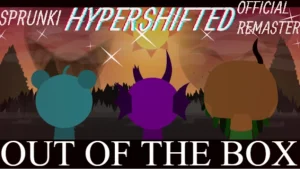
A sudden shift in the background hue from standard gray to Grefel's signature deep nightmare purple is the first thing that grabs you when loading up this fan-made project. The visual atmosphere immediately sets a mysterious tone, signaling that you are stepping into a more experimental corner of the community's creative timeline. It captures the exact aesthetic that made the original release stand out during its initial run.

Dropping these heavy, layered loops onto the character slots completely alters how you build a track compared to earlier, simpler phases. Instead of just stacking basic beats, you are managing rich layers and creative controls that demand a bit of strategic placement. The sound design leans heavily into futuristic, distorted tones, forcing you to balance the high-pitched vocal loops with the deeper, rumbling basslines to keep the mix from collapsing into pure static.

This specific release exists because of a dedicated preservation effort within the community. Mod creator @connieniceday stepped up to bring this version V1.0 back to life, ensuring that Grefel's distinct style remains playable on modern browsers. The creator made sure to share the credit, noting, "Thanks to @Williamlol5873 for the original project" which kept this specific soundscape alive for everyone to enjoy.

For anyone who has spent hours tracking down obscure fan expansions or trying to piece together the lore of Grefel's various phases, this reuploaded gem fits right into your rotation alongside other community creations like Sprunki Phase 16 or Sprunki Shifted Phase 16. It bridges the gap between the classic horror aesthetics of the early mods and the highly polished, multi-layered soundscapes of the later community releases. You can jump in and test your mixing skills directly on sprunki.cool without needing to download any heavy files.

This preservation project is a perfect match for casual creators who love hunting down rare, community-saved chapters of the ever-expanding music universe.

Join The Conversation

Share your thoughts and experiences with other players

Click to load the comment system and start chatting with other players

Mastering Grefel's Soundboard Controls

1

Balancing Grefel's Layered Audio Controls

To get the most out of this mod, you need to understand how the rich layers interact. Unlike standard versions where you can throw any sound together, this phase requires you to carefully space out your vocal loops and heavy basslines. Start by placing your rhythm characters on the left slots to establish a steady tempo, then gradually introduce the distorted synth elements. If the mix becomes too chaotic, mute the middle tracks to let the underlying melody breathe before building up to a final drop.

2

Managing the Reuploaded Interface Layout

The interface in this version retains the classic drag-and-drop mechanics that players are familiar with, but with a few visual tweaks. Icons are color-coded to represent different sound categories, such as beats, effects, and vocals. Dragging an icon onto a character instantly activates their loop. If you want to create a sudden shift in your track, use the global mute and solo buttons located at the top of the screen to isolate specific characters and create dramatic pauses.

3

Creating Seamless Transitions with Mute Triggers

Achieving a smooth flow in your custom track involves mastering the timing of your mutes. You can hover over any active character to reveal their individual control buttons. By muting three characters simultaneously and leaving only a single vocal loop running, you can build anticipation. Releasing the mutes right as the main beat loops back around creates a satisfying drop that highlights the unique, futuristic sound design of this specific community reupload.

Arrangement Tips for Clean Audio Mixes

  • Start with the Bass Foundation

    When beginning a new mix, always lay down your bass and drum loops first. These elements provide the structural backbone of your track, making it much easier to decide where to place the more chaotic vocal and synth loops later on.

    Avoid stacking more than two heavy bass loops at once, as this can muddy the overall sound.

  • Utilize Solo Mode for Fine-Tuning

    If your track is starting to sound cluttered, use the solo button on individual characters to listen to their loops in isolation. This helps you identify which sounds are clashing and allows you to adjust your arrangement accordingly.

    This is especially useful for checking how the high-pitched vocal synths align with the main rhythm.

Key Elements of Grefel's Preserved Phase

1

Preserved Sound Library

This mod features the complete, unaltered audio assets from the original community release. Players can access a wide array of futuristic synths, heavy industrial beats, and eerie vocal loops that define this specific era of fan-made expansions. The preservation ensures that none of the original charm or audio quality is lost.

2

Grefel's Signature Visual Aesthetic

The visual design showcases the dark, atmospheric art style characteristic of Grefel's phases. With deep purple hues, glitch-inspired character designs, and custom animations, the mod delivers a cohesive sensory experience that perfectly complements the eerie, electronic soundtrack you create.

3

Optimized Browser Performance

Thanks to the careful reupload process, this version is fully optimized for modern web browsers. It loads quickly and runs smoothly without requiring any downloads or high-end hardware, making it incredibly accessible for casual players who want to jump in and start mixing immediately.

Why Play Sprunki Phase 16 [Reupload]?

" Preserving the dark, futuristic sounds of Grefel's classic phase. "

" Mix rich audio layers directly in your browser. "

Common Questions About the Phase 16 Reupload