












Sprunki Phase 18 Astro Take

What Is Sprunki Phase 18 Astro Take?

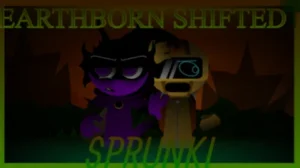
The Sprunki universe expands into deep space and futuristic dimensions as players journey through the numbered phases. This specific release, Sprunki Phase 18 Astro Take, shakes up the timeline by offering a customized, fan-made spin on the highly anticipated eighteenth phase. Created by Simonnico, this V1.0 build introduces a fresh layout and a modernized aesthetic that sets it apart from the standard community templates.

Getting your groove on involves dragging and dropping various icons onto your characters to build custom loops. New players can easily swap out beats, vocals, and effects on the fly to see how the soundscape shifts. The interface is designed to be highly interactive, letting you experiment with different combinations without any complex menus.

Visually, the mod features smoother animations and a sleek, space-themed look that matches the cosmic vibe of the Astro Take. The audio layers blend deep basslines with glitchy synth elements, giving the entire mix a very distinct, sci-fi atmosphere. The creator notes that this is "Sprunke phase 18 but my version, enjoy /:" which explains the highly personalized design choices and unique audio loops you will encounter while playing on sprunki.cool.

Since this is an individual creator's custom take rather than the official base game, some character interactions might feel a bit different or experimental compared to Sprunki Phase 18 or Sprunki Phase 18 Official. It is a cool playground for testing out weird beats, so do not expect a standard progression system. Just grab your headphones, mess around with the slots, and see what kind of cosmic noise you can cook up.

Join The Conversation

Share your thoughts and experiences with other players

Click to load the comment system and start chatting with other players

How to Mix Cosmic Beats in Astro Take

1

Selecting Your Astro Characters

To start your musical journey, you need to choose from the lineup of characters at the bottom of the screen. Each character represents a unique sound loop, ranging from heavy basslines to high-pitched synth vocals. Drag your chosen character onto one of the active slots on the stage to activate their loop. If you want to change the vibe, simply drag them off or click the mute button to silence their track temporarily while you plan your next move.

2

Layering Audio Tracks

Building a balanced track requires careful layering of different sound categories. New players should start by placing a solid drum beat first to establish the rhythm, then add a bassline to give the track some depth. Once the foundation is set, you can introduce melodic elements and vocal loops to fill out the soundscape. Experimenting with different combinations is key to finding a mix that sounds cohesive rather than chaotic.

3

Using Mute and Solo Controls

Managing a busy mix can get overwhelming quickly, which is where the mute and solo buttons come in handy. Hovering over any active character on the stage reveals these quick controls. Clicking mute silences that specific character without removing them from the board, allowing you to hear how the rest of the mix sounds. The solo button silences everyone else, which is perfect for fine-tuning a single vocal loop or beat before bringing the full band back in.

Practical Tips for Astro Take Beginners

  • Start with the Bass

    When you are first starting a new mix, always lay down a solid bassline or drum beat before adding complex vocals. This gives your track a steady rhythm and makes it much easier to time your other loops.

    Avoid stacking too many high-pitched vocals early on, as they can quickly clutter the audio.

  • Utilize the Reset Button

    If your mix gets too chaotic and you lose track of which loops are playing, do not hesitate to use the reset button. Clearing the board lets you start fresh with a clean slate and try a completely different combination.

    Taking a break to reset prevents ear fatigue and helps you discover better sound pairings.

Key Elements of Simonnico's Phase 18 Design

1

Sleek Cosmic Visual Theme

This mod features a distinct space-themed aesthetic that sets a futuristic mood for your music creation. The character designs and background elements are styled with dark, cosmic colors and glowing accents, making the visual experience match the sci-fi tone of the audio loops.

2

Customized Audio Palette

The sound library in this version is tailored specifically by the creator to offer a different vibe than standard phases. You will find a mix of glitchy electronic beats, deep bass synths, and atmospheric vocal effects that allow you to craft highly unique, experimental tracks.

3

Streamlined V1.0 Interface

Designed with simplicity in mind, the user interface makes it easy for beginners to jump right in. The drag-and-drop mechanics are highly responsive, and the layout ensures that all controls are easily accessible without cluttering the screen.

Why Play Sprunki Phase 18 Astro Take?

" Mix cosmic beats in Simonnico's custom V1.0 phase. "

" Explore a unique space-themed spin on Phase 18. "

" Drag, drop, and layer futuristic sound loops instantly. "

Astro Take Frequently Asked Questions