









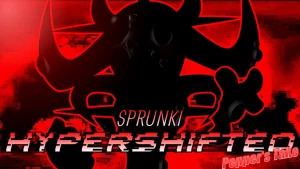
Sprunki Phase 2: The Start

What Is Sprunki Phase 2: The Start?

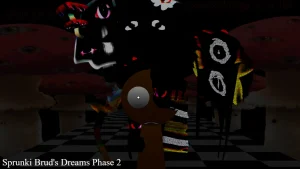
Why does ProopGuy's face try to melt at the end of Loop 1, only to snap right back to normal when Loop 2 starts? This weird visual glitch or lore hint is the first thing that hits you when you load up this fan-made project. It sets a strange, glitchy tone for a mod that claims to be a fresh beginning but feels surprisingly deep.

The answer lies in how this specific mod, created by @JaideepSprunkiWorld, handles its visual loops and character states. In this V1.0 release, the game plays with the idea of a shifting universe where characters like Wenda and Simon are caught in a weird loop. While some players in the community ask, "If this is 'The Start,' How come this seems like a phase 3?", the mod actually serves as a bridge, mixing classic elements with unexpected visual resets.

Musically, the mod sticks to a familiar tempo and key signature, which has some players commenting, "really? antoher 140 bpm and f# minor" under the upload. But for beginners, this familiar setup makes it incredibly easy to layer beats without everything turning into a chaotic mess. You can drag and drop different icons onto the stage on sprunki.cool to see how the animations react, especially when watching for those subtle loop-end glitches.

This mod is perfect for players who love hunting for hidden visual details and want a straightforward mixing experience without getting overwhelmed by too many custom mechanics. If you want to see how this compares to other versions, you can check out Sprunki Phase 2 or try the fan-favorite Sprunki Phase 2 Recreated to spot the differences in character animations. Drag your first icon onto the center slot to hear how the baseline loop kicks off.

Join The Conversation

Share your thoughts and experiences with other players

Click to load the comment system and start chatting with other players

How to Control the ProopGuy Loop

1

Placing Your First Beat Icons

To begin your mix, select any of the character icons at the bottom of the screen and drag them onto the active stage slots. Each character represents a specific musical layer, such as a drum loop, bassline, or vocal effect. For beginners, starting with the rhythm section helps establish a steady tempo before adding complex melodies. Watch how the characters bob to the beat once they are placed, signaling that their audio track is active and synchronized with the rest of the mix.

2

Tracking the ProopGuy Face Melt

Keep a close eye on the character animations as your song reaches the end of its first loop cycle. Specifically, look at ProopGuy's face, which begins to melt right as Loop 1 finishes. This visual glitch is a unique feature of this mod. As soon as Loop 2 starts, his face instantly reverts to its original state. Understanding this timing helps you coordinate your visual drops with the musical transitions of your custom track.

3

Balancing the F# Minor Melodies

Once your baseline is running smoothly, start layering the melodic and vocal characters like Wenda or Simon. Because the mod is set to a specific key signature, these elements are designed to harmonize naturally without clashing. Avoid crowding all seven slots immediately; instead, activate them one by one to hear how each new layer changes the mood. This step-by-step layering technique prevents your mix from sounding cluttered and lets you appreciate the subtle audio details.

Mixing Tips for the F# Minor Key

  • Syncing Beats with Animation Resets

    Try to time your audio drops right when the loop resets. Since ProopGuy's face reverts to normal at the start of Loop 2, introducing a new bassline or vocal track at this exact moment creates a highly satisfying transition that feels intentional and polished.

    Watch the progress bar at the top of the screen to anticipate the exact moment the loop ends.

  • Avoiding Audio Clutter

    If your mix starts to sound too busy, use the mute and solo buttons on individual characters to isolate specific sounds. This helps you identify which loops are clashing and allows you to build cleaner transitions by bringing tracks in and out of the mix.

    Muting the main drums for a few beats before unmuting them creates a classic drop effect.

Key Audio Features of the Start Phase

1

ProopGuy โ€” The Glitching Loop Leader

ProopGuy serves as a central figure in this mod's visual storytelling. While he contributes a steady audio layer to your mix, his main draw is his unique looping animation. His face undergoes a dramatic melting effect at the very end of Loop 1, only to instantly snap back to normal when Loop 2 begins, creating a cool visual loop point.

2

Wenda โ€” The Melodic Vocalist

Wenda returns in this phase to provide clean vocal loops that help tie the instrumental tracks together. Her design and sound cues are optimized for the mod's specific key signature, making her an essential character for players who want to add a catchy, melodic hook to their custom beats. She works best when paired with a steady drum loop to keep her vocals perfectly in time.

3

Simon โ€” The Rhythm Anchor

Simon brings his classic presence to the lineup, offering solid rhythmic support that keeps the entire mix grounded. His animations are simple but perfectly timed with the 140 BPM tempo, making him a reliable choice for beginners who need a strong foundation before experimenting with more chaotic sound effects. Placing him early in your setup ensures your track maintains a steady, danceable groove.

4

The 140 BPM F# Minor Soundscape

The mod features a cohesive audio profile locked at a steady 140 BPM tempo in the key of F# minor. This specific musical constraint ensures that every loop, beat, and vocal line fits together seamlessly, allowing players of all skill levels to create professional-sounding mixes without worrying about off-key notes. It provides a dark, atmospheric vibe that perfectly matches the glitchy visual elements.

Why Play Sprunki Phase 2: The Start?

" Watch the loops reset and master the glitchy rhythm. "

" Layer classic beats in a mysterious shifting universe. "

Common Questions About the Phase 2 Reset