









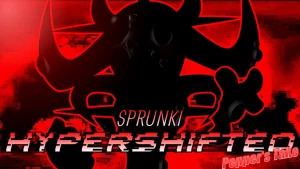
Sprunki Phase 3 Bloodlust Outburst Delux

What Is Sprunki Phase 3 Bloodlust Outburst Delux?

Many new players jump into this spooky remix thinking they can just drag any random icon onto the board and immediately get a clean, balanced beat. Doing that usually results in a chaotic wall of noise that ruins the creepy atmosphere. The correct first move is to drop a single rhythm loop onto the far-left slot to establish a steady tempo before you even touch the vocal or effect characters. Starting with a solid foundation prevents the horror-inspired music from turning into a messy clash of sounds.

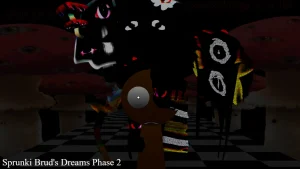
This V4.0 update by @epiccube changes how we approach the classic horror-inspired music of the third phase. Instead of sticking to the basic loops, this version introduces a more intense Halloween theme with layered audio options that let you build up to a massive drop. If you want to experience the full depth of this fanmade remix, you should head over to sprunki.cool to play it directly in your browser. Linking it to the original Sprunki Phase 3 helps you see how the sound design has evolved into this bloodlust-themed outburst.

Understanding the structure of these fanmade phases is key to mastering the game. This specific mod matters because it takes the eerie, horror-inspired music of the classic Sprunki Phase 3 Definitive style and pushes the visual tension further. By focusing on slow-building layers rather than instant chaos, you can unlock the hidden audio transitions that make the Halloween theme feel genuinely unsettling. It shows how much depth a creator can squeeze out of a simple drag-and-drop setup.

This mod is a perfect fit for players who love dark, atmospheric beats and want a quick browser-based mixing session without downloading anything. To get the absolute best out of your mix, always mute your melody tracks first when you want to highlight a creepy vocal solo.

Join The Conversation

Share your thoughts and experiences with other players

Click to load the comment system and start chatting with other players

Mastering the Bloodlust Outburst Beats

1

Establishing the Rhythm Foundation

To start your mix on the right foot, always place your rhythm loops first. In this horror-inspired setup, the beats act as the backbone for all the creepy sound effects. Dragging a drum or bass icon onto the left side of the board ensures your tempo stays locked in. This prevents the faster vocal tracks from overlapping awkwardly and ruining the dark atmosphere of the track.

2

Layering the Horror Vocals

Once your beat is steady, it is time to introduce the vocal layers. These characters bring the eerie Halloween theme to life with whispers, screams, and distorted chants. Instead of dropping them all at once, try adding them one by one to see how they interact with the rhythm. Spacing out your vocal drops creates a much more dramatic build-up.

3

Triggering the Bloodlust Drop

The real magic happens when you coordinate your icons to trigger a sudden shift in the music. By keeping a few slots empty and then filling them simultaneously with high-energy effects, you can simulate a dramatic drop. This technique highlights the intense outburst theme of the mod and keeps the audio progression feeling dynamic and surprising.

Survival Tips for Dark Mixing

  • Isolate the Vocals

    When your mix starts to feel too crowded, try muting all the background beats for a few seconds. Leaving only the creepy vocals playing creates a sudden, tense silence that fits the horror theme perfectly.

    This works best right before you bring all the instruments back in for a massive drop.

  • Use the Left-to-Right Rule

    Arrange your characters from left to right based on their sound intensity. Keep your quietest rhythms on the left and your loudest, most chaotic effects on the far right to keep your workspace organized.

    This visual trick helps you quickly identify which icon is causing too much noise.

Key Elements of the Halloween Theme

1

Intense Halloween Theme Visuals

This mod features a dark, horror-inspired aesthetic that completely transforms the classic interface. The character designs and background elements are customized to match the creepy atmosphere, making every mix feel like a mini horror movie soundtrack.

2

Distorted Audio Profile

The sound design in this version focuses heavily on distortion, echo, and eerie whispers. Every loop is crafted to fit the bloodlust theme, giving players a unique set of audio tools that differ from the standard upbeat phases.

3

Seamless Browser Playback

Optimized for quick sessions, this mod runs directly in your web browser on sprunki.cool. There is no need for heavy downloads or installations, allowing you to jump straight into mixing your dark beats with minimal loading times.

Why Play Sprunki Phase 3 Bloodlust Outburst Delux?

" Mix dark, horror-inspired beats directly in your browser. "

" Experience the intense Halloween theme crafted by @epiccube. "

" Layer creepy vocals and heavy rhythms to create the ultimate drop. "

Bloodlust Outburst Phase 3 Questions