









Sprunki Phase 3 Msi Take

What Is Sprunki Phase 3 Msi Take?

Sprunki Phase 3 Msi Take brings fresh musical energy to the Sprunki universe in this community-created MOD. Crafted by @Floppa337 and now available on sprunki.cool, this V1.0 release offers players a unique take on the beloved music-mixing formula. The creator acknowledges the inspiration behind this project, stating: "Thanks to @SprunkiMsi for the original project Phase 3 Msi Take."

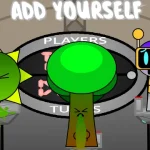
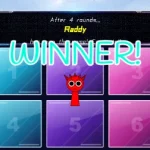
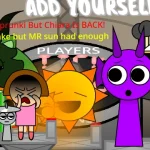
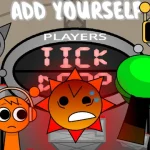
This unofficial MOD lets you experiment with character-based beat creation and sound layering in an accessible browser experience. Players can drag and drop characters to build custom musical compositions, exploring different sound combinations and rhythmic patterns. The Phase 3 aesthetic adds visual flair to your creative sessions, making each mix feel fresh and exciting.

Originally shared on cocrea, this fan-made creation demonstrates the vibrant community surrounding Sprunki games. Whether you're a seasoned music mixer or just starting your creative journey, the intuitive interface welcomes all skill levels. Jump into the action directly through your browser and discover what makes this community contribution special.

This is a community-created MOD and not an official Sprunki release. The content represents fan creativity and should be enjoyed as an unofficial tribute to the original game.

Join The Conversation

Share your thoughts and experiences with other players

Click to load the comment system and start chatting with other players

Phase 3 Beat-Making Basics

1

Launch Your Musical Journey

Access Sprunki Phase 3 Msi Take directly through sprunki.cool in your web browser. No downloads or installations required - just click play and you're ready to start creating. The game loads quickly and runs smoothly on most modern browsers, making it easy to jump into the music-mixing action whenever inspiration strikes.

2

Character Sound Assembly

Drag characters from the bottom panel onto the stage to activate their unique sounds. Each character contributes a different musical element - beats, melodies, effects, or vocals. Experiment with different character combinations to discover unexpected sound pairings and create your signature mix. Remove characters by dragging them off the stage to refine your composition.

3

Build Your Beat Layers

Start with a rhythm foundation by placing beat-focused characters first, then layer melodic elements on top. Add vocal characters for texture and effect characters for polish. Listen as your composition evolves with each addition, and don't be afraid to swap characters in and out until you find the perfect balance that matches your creative vision.

Sound Mixing Secrets

  • Experiment Fearlessly

    Don't stick to safe combinations - the most interesting mixes often come from unexpected character pairings. Try placing characters you wouldn't normally combine and listen for happy accidents. Some of the best musical moments emerge when you break your own patterns and explore unfamiliar territory.

    Create multiple versions of the same basic idea by swapping just one or two characters. This technique helps you understand how individual elements affect the overall composition and trains your ear to recognize subtle musical relationships.

  • Listen Before Adding

    Before placing a new character, pause and listen to your current mix. Identify what's missing - does it need more rhythm, a melodic hook, or atmospheric texture? This mindful approach helps you make intentional choices rather than randomly adding characters, resulting in more cohesive and satisfying compositions.

    Record or remember your favorite combinations by taking mental notes of which characters work well together. Building a personal library of go-to pairings speeds up your creative process and gives you reliable starting points for new mixes.

What Makes This MOD Special

1

Community-Driven Creativity

This V1.0 release represents the passion and dedication of fan creator @Floppa337, who built upon the foundation established by @SprunkiMsi. The MOD showcases how community members can contribute their own interpretations and enhancements to the Sprunki universe, creating fresh experiences for players while honoring the original vision.

2

Phase 3 Visual Style

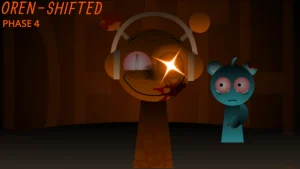
Experience the distinctive Phase 3 aesthetic with its unique character designs and atmospheric presentation. The visual elements complement the musical gameplay, creating an immersive environment that enhances your creative sessions. The cohesive art direction ties together the sound and visuals for a complete sensory experience.

3

Browser-Based Accessibility

Play instantly on sprunki.cool without any downloads, installations, or account requirements. The web-based platform ensures you can access your musical playground from any device with a modern browser. This accessibility makes it easy to share your creations with friends and jump back into mixing whenever creativity strikes.

Why Play Sprunki Phase 3 Msi Take?

" Mix beats, make magic in Phase 3! "

" Community creativity meets musical mayhem! "

" Your sound, your style, your Sprunki adventure! "

Your Phase 3 Questions Answered