










Sprunki Phase 3 Re-Retake

What Is Sprunki Phase 3 Re-Retake?

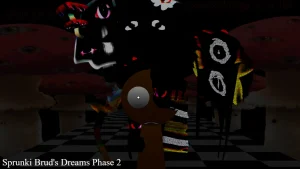
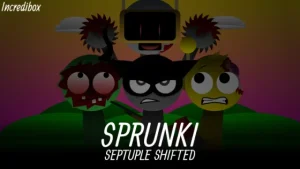
Dragging your first character icon onto the stage immediately reveals how this version overhauls the classic horror aesthetic. This V1.0 release, put together by @incredisprakk, @nao4400, and @PeakGuy, updates the fan-favorite horror atmosphere by replacing the cheerful faces of the original cast with survivors holding weapons, scarred victims, and corrupted entities. Instead of the standard beats, you are immediately building a tense, distorted soundscape where every single placement feels heavy and unsettling. It is a direct evolution of the classic Sprunki Phase 3 experience, giving players a much darker playground to experiment with.

Dropping different icons onto the characters triggers unique loops that stack to create either a funky rhythm or a full-blown horror track. The core loop is all about finding the right balance between the rhythmic survivors and the corrupted background vocals. If you stack too many distorted sounds at once, the track becomes a chaotic wall of noise, so the trick is to layer one weapon-wielding survivor's beat before adding the creepy, scarred vocal layers. It is a simple drag-and-drop system, but the way the audio layers interact makes you think twice about which character you swap out next.

Behind the scenes, the creators built this project as a tribute to the wider community's creative modding scene. The team wanted to give a massive shoutout to @MiGuelVwgY21 for the original project "Sprunke Phase 3 Retake (Remake bit + Remix)" which served as the foundation for this new version. By taking that original blueprint and adding their own design choices, the development team managed to craft something that players like 💚Greeny Robo💚 already call "peak" in early discussions.

Newcomers looking for a spooky but accessible music builder will find this layout easy to grasp, though the intense visual distortion might feel a bit overwhelming if you prefer the bright, clean look of earlier phases. The corrupted character designs are highly detailed, meaning some older browsers might stutter slightly when loading all the animations at once. If you want to compare this style with other community remixes, you can also check out Sprunki Phase 3 Re Disamiguated to see how different creators handle the same dark themes. Some players might find the sudden volume spikes from the weapon-wielding survivors a bit jarring during transitions.

Join The Conversation

Share your thoughts and experiences with other players

Click to load the comment system and start chatting with other players

Mastering the Distortion: How to Play

1

Selecting Your Survivor Lineup

To start your track, drag one of the weapon-wielding survivors onto the empty character slots at the bottom of the screen. Each survivor brings a unique rhythmic loop or baseline beat that sets the foundation for your mix. It is best to start with a single clean rhythm before piling on the heavier sound effects. This prevents your track from becoming an unreadable mess of noise right at the beginning. Take your time to listen to how each individual survivor's beat loops before adding more characters to the stage.

2

Layering the Corrupted Vocals

Once your baseline rhythm is established, begin dragging the corrupted entities and scarred victims onto the remaining slots. These characters introduce eerie vocal layers, distorted synths, and haunting background noises that define the horror atmosphere. For a balanced mix, try to alternate between a rhythmic survivor and a vocal-heavy corrupted entity. This creates a natural call-and-response pattern in your music, making the transition from a simple beat to a terrifying horror track feel smooth and intentional.

3

Managing the Audio Distortion

As you add more characters, the overall distortion level of the track will increase. If the audio begins to clip or sound too chaotic, you can easily mute or remove characters by clicking on them or dragging them off the stage. Finding the sweet spot between the clean survivor beats and the heavy, corrupted distortion is the key to mastering this mod. Experiment with different combinations of five or six characters to see how the soundscapes shift from funky to pure horror.

Survival Tips for Mixing Dark Beats

  • Start with the Rhythm Section

    Always place your weapon-wielding survivors first to establish a solid tempo. Trying to build a track starting with the heavily distorted corrupted entities usually results in a chaotic mess that is hard to synchronize.

    Look for the characters holding physical gear; they almost always carry the core drum loops.

  • Use Mute to Build Suspense

    Instead of dragging characters off the stage to change the vibe, use the mute button on individual survivors. This allows you to suddenly drop the beat out, leaving only the creepy scarred vocals playing before bringing the rhythm back.

    This technique is highly effective for creating dramatic horror drops in your mix.

  • Watch the Visual Cues

    Pay close attention to the animations of the corrupted entities. Their visual movements often sync up directly with the audio pulses, helping you time your character swaps perfectly with the beat.

    If a character's animation stutters, it might mean your browser is struggling with the heavy visual assets.

Key Elements of the Corrupted Survivor Cast

1

The Weapon-Wielding Survivors

These characters replace the cheerful figures of the original game, bringing a gritty, defensive vibe to the stage. Instead of standard instruments, they carry weapons and deliver sharp, rhythmic beats that keep your track grounded. They serve as the musical backbone of your mix, providing the essential loops needed to keep the tempo steady.

2

The Scarred Victims

Showing visible scars from the Phase 3 distortion, these characters add deep emotional and haunting elements to the soundscape. Their loops consist of eerie melodies, soft sighs, and dramatic vocal chords that fill the mid-range of your mix. They are perfect for building suspense before the heavier beats drop.

3

The Corrupted Entities

Completely overtaken by the dark distortion, these entities deliver the most extreme sounds in the mod. From harsh static noises to deep, glitched basslines, they inject pure horror into your creation. Use them sparingly to create sudden drops or to intensify the chaotic atmosphere of your track.

Why Play Sprunki Phase 3 Re-Retake?

" Layer dark beats with weapon-wielding survivors. "

" Experience the corrupted distortion of Phase 3. "

" Build your horror track with scarred entities. "

Quick Answers for New Survivors