










Sprunki Phase 4: Endless Carnage

What Is Sprunki Phase 4: Endless Carnage?

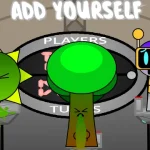
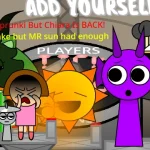
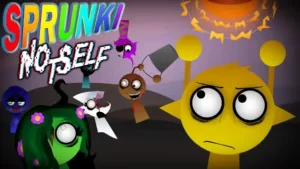
Drag mutated characters onto the soundboard and watch the post-apocalyptic wasteland come alive through your mix. Sprunki Phase 4: Endless Carnage hits V3.0 with a full visual overhaul that swaps the usual bright Sprunki vibe for something far grittier, making it a must-try for anyone who found earlier phases too tame.

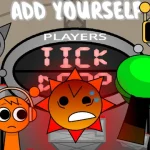
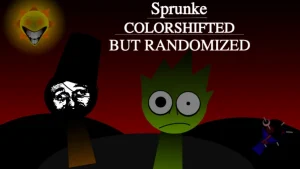
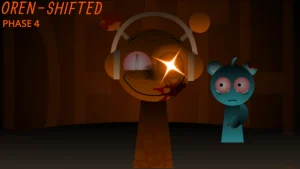
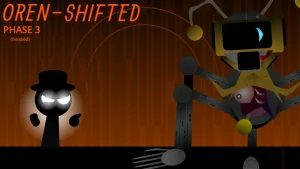
What sets this version apart starts with the post-apocalyptic aesthetic — the entire environment reflects a post-blast setting rather than a simple dark filter. Characters carry grotesque and shadowy appearances, and the sound library has been replaced with eerie melodies and unsettling effects instead of standard beats. You also get expanded outfit and color customization for your avatars, plus interactive environment elements that react as you build your track.

Community chatter around this mod has been active. Players have asked about remix permissions, and the mod's team has clarified that remixes are allowed as long as credit is given — a good sign for creators looking to build on top of it. Others have raised questions about how the interactive environments actually change during playback, which remains a bit open-ended based on available descriptions.

Originally from cocrea by @PersonalizerAUTTP, with sounds by @GabsTheCreator, this sequel to Darkness Is Approaching plays right in your browser on sprunki.cool. If you prefer cheerful music makers, this one isn't for you. But if horror-meets-creativity is your thing, it's worth a spin.

Join The Conversation

Share your thoughts and experiences with other players

Click to load the comment system and start chatting with other players

Getting Started with Endless Carnage

1

Pick Your Mutated Character

Select from redesigned Sprunki characters with grotesque appearances. Each one carries a different sound loop tied to the horror theme.

2

Drag to Build Your Track

Drop characters onto the soundboard to layer eerie melodies, unsettling effects, and dark beats into a single composition.

3

Explore the Interactive Environment

The post-apocalyptic world around your soundboard responds as you add elements — watch for visual changes as your mix grows.

Survival Tips for Your Soundboard

  • Layer Slowly for Maximum Creep Factor

    Start with one eerie melody, then add unsettling effects on top. Dropping everything at once muddies the horror atmosphere.

    Muting and unmuting individual tracks creates a jump-scare-like dynamic in your mix.

  • Use Customization to Track Roles

    Assign different outfit colors to beat characters versus melody characters so you can quickly find what you need mid-mix.

    This helps when experimenting with the interactive environment triggers.

What's New in the Wasteland

1

Post-Apocalyptic Visual Overhaul

The entire game world reflects a post-blast environment, from the background to the character designs, replacing the standard Sprunki look.

2

Expanded Sound Library

Fresh collection of beats, vocals, and melodies designed around horror — eerie loops and unsettling effects replace the usual upbeat tracks.

3

Character Customization

Outfits, colors, and accessories let you tweak how your mutated avatars look while they perform on the soundboard.

Why Play Sprunki Phase 4: Endless Carnage?

" Build beats in a wasteland that fights back. "

" Every loop you drop makes the carnage louder. "

" Horror sounds better with friends on the board. "

Player Questions Answered