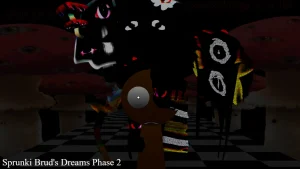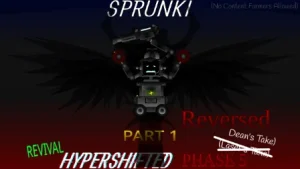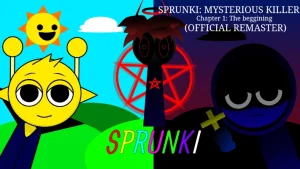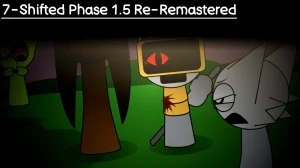












Sprunki Phase 5.5 Definitive Rework (Player Baldi's Take)

What Is Sprunki Phase 5.5 Definitive Rework (Player Baldi's Take)?

Dragging your first sound icon onto the stage in this updated layout immediately reveals how the soundscape has been re-shifted compared to older builds. This V3.0 build reworks the previous phase 5.5 setup by introducing cleaner audio loops and a more stable interface, making it way easier to stack beats without the browser crashing. If you played the older Sprunki Phase 5 or the previous Sprunki Phase 5 5 Definitive Player Baldis Take, you will notice the icons respond faster now, letting you drop rhythms instantly to see how the new sound layers fit together.

Once you get the basic beat going, the main loop revolves around balancing the creepy, glitchy vocal tracks with the steady instrumental loops. You drag different characters onto the screen to trigger specific sounds, trying to find the hidden combinations that unlock special animations. The game uses a classic drag-and-drop system where certain characters like Oren or Wenda bring in distinct melodies, while others add weird background noises that sound like they were pulled straight out of a glitchy schoolhouse computer.

This mod is perfect for players who love the eerie, meme-filled side of the community and want a quick, no-download browser experience on sprunki.cool. It feels a bit different from the standard horror phases because it leans heavily into the chaotic, fast-paced energy of classic internet schoolhouse games. One thing to watch out for is that some of the audio tracks can get super loud and chaotic if you stack too many vocal loops at once, which might overwhelm your speakers if you aren't careful with your volume slider.

While the game runs smoothly, some players might find the random audio shifts a bit jarring when trying to build a clean, traditional song. The chaotic nature of the sound design means you have to embrace the randomness rather than expecting a perfectly polished pop track.

Join The Conversation

Share your thoughts and experiences with other players

Click to load the comment system and start chatting with other players

Mastering the Schoolhouse Soundboard

1

Drag-and-Drop Character Placement

To start building your track, you grab one of the colorful character icons from the bottom tray and drag it onto an empty slot on the stage. Each character represents a unique loop, ranging from deep basslines to glitchy vocal chops. If you want to change up the rhythm, you can easily drag a character off the stage to mute them, or drop a new one on top to swap their sounds instantly. This simple drag-and-drop system lets you experiment with different musical layers on the fly.

2

Muting and Soloing Specific Beats

When your mix gets too chaotic, you can hover over any active character on the stage to reveal the mute and solo buttons. Clicking the mute button silences that specific character's loop without removing them from the board, which is perfect for dropping the bass out before a big transition. The solo button does the opposite, silencing every other character so you can hear exactly what that single loop sounds like. Mastering these quick controls helps you manage the dense audio layers.

3

Resetting the Soundboard

If your musical creation becomes a complete mess of glitchy noises, you can use the quick reset button to clear the entire stage at once. This instantly clears all active characters and silences the audio, giving you a blank canvas to start a brand-new mix. It is a super helpful feature when you want to transition from a slow, atmospheric build to a fast-paced, chaotic rhythm without having to drag every single character off the board manually.

Pro Tips for Better Schoolhouse Mixes

  • Start with the Bassline First

    When you are starting a new mix, always drop your bass and drum characters onto the stage before adding any vocals. Having a solid rhythmic foundation makes it much easier to hear how the glitchy melodies and weird sound effects fit into the overall tempo of the track.

    If you start with vocals first, the mix can quickly become a confusing mess of noise that is hard to organize.

  • Use Mute for Dramatic Drops

    You can create cool musical transitions by filling up the stage with characters, then muting almost all of them right before a major beat change. Leaving only one vocal loop playing for a few seconds before unmuting the rest creates a satisfying drop that makes your track sound way more professional.

    Try doing this with the bass loops to give your listeners a sudden surprise when the rhythm kicks back in.

Key Elements of the Definitive Rework

1

Oren — The Glitchy Beatmaker

Oren returns in this mod to anchor your tracks with steady, rhythmic beats. In the broader Sprunki universe, this character is known for providing the essential backbone of the music, and this version keeps that tradition alive with a slightly more distorted, digital edge. Placing him on the stage gives you a reliable loop that prevents your chaotic mixes from falling apart completely.

2

Wenda — The Melodic Vocalist

Wenda brings her signature vocal style to the mix, offering clean melodies that contrast nicely with the glitchy background noises. As a classic canon character, she is usually the go-to for adding a catchy hook to your song. In this rework, her loops are tuned to blend smoothly with the chaotic schoolhouse theme, making her a great choice for any beginner trying to make a cohesive track.

3

Re-Shifted Audio Engine

The core audio engine has been optimized to handle multiple high-tempo loops simultaneously without stuttering. This technical update ensures that even when you fill every single slot on the stage with loud, glitchy sounds, the browser game maintains a steady frame rate and clean audio output. It makes the overall mixing experience feel much more responsive than older builds.

Why Play Sprunki Phase 5.5 Definitive Rework (Player Baldi's Take)?

" Mix chaotic schoolhouse beats directly in your browser. "

" Experience the re-shifted sounds of @PlayerBaldi's latest update. "

" Drag, drop, and layer glitchy loops to create your own rhythm. "

Frequently Asked Questions About Baldi's Take