









Sprunki phase 5 Definitive Overhaul new series semi (final update)

What Is Sprunki phase 5 Definitive Overhaul new series semi (final update)?

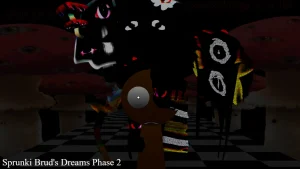
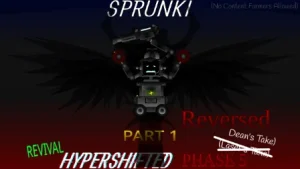
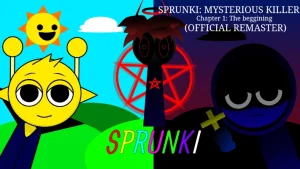
Dragging your first character onto the stage immediately plunges you into a dark, glitch-ridden world where the familiar Sprunki cast is struggling against a mysterious corruption. To start, you grab the distorted icons at the bottom of the screen and drop them onto the empty slots, instantly triggering heavy, atmospheric beats that feel much darker than the original game. This fan-made overhaul, built by creators like crazyiwascrazyonce, Moreless, and _skiyak, reimagines the eerie lore of the fifth phase with re-animated visuals and deeper soundscapes.

As you layer more sounds, you begin to build a chaotic, rhythmic loop where every character adds a unique layer of vocal distortion or heavy bass. You can swap characters on the fly to hear how their corrupted vocals interact, trying to find the perfect balance before the track descends into pure noise. If you have played the earlier Sprunki Phase 5 Definitive version, you will notice how this overhaul cleans up the animations and sharpens the timing of the drops. The gameplay loop is all about experimenting with these eerie layers on sprunki.cool to see how far you can push the tension. You will want to watch how the characters react visually to each beat, as the re-animated sprites add a lot of creepy personality to the mix.

Behind the mod, the creator CaTt wanted to deliver a much more polished experience for the community. The maker openly shared that this project is a remake of "catt's phase 5 definitive that is a lot better" than what came before. Even when some players jokingly left negative reviews, the creator casually agreed that the project could always use more work, showing a very relaxed, community-driven attitude toward the final update. This collaborative spirit is what helped shape the definitive re-animated style that fans are sharing online.

This mod is a great fit for players who love the darker, lore-heavy side of the community's creations, especially those who enjoyed Sprunki Phase 5 Re Disambiguated Semi Final Update. However, because this is a semi-final overhaul, some animations might still feel slightly rough around the edges depending on your browser's performance. The final update tag means this is likely the last major polish it will receive, so what you see is the definitive vision of this specific timeline.

Join The Conversation

Share your thoughts and experiences with other players

Click to load the comment system and start chatting with other players

How to Mix the Definitive Overhaul Beats

1

Drag-and-Drop Character Placement

To begin your dark musical journey, select any of the corrupted character icons from the bottom tray and drag them onto the active stage slots. Each character you place immediately starts looping their unique sound, whether it is a heavy bassline, a glitchy synth, or a distorted vocal track. New players should start by placing just two or three characters to get a feel for the rhythm before filling up all the available slots. This helps you understand how each individual layer contributes to the overall eerie atmosphere of the mix.

2

Balancing the Audio Layers

Once you have multiple characters active on the stage, you need to manage the audio density so the track does not become a wall of pure noise. You can mute or remove specific characters by clicking on them, allowing you to isolate certain beats or build up to a dramatic drop. Experimenting with different combinations of vocals and instrumental loops is key to finding a satisfying flow. If the mix feels too chaotic, try removing the high-frequency vocal characters and letting the heavy bass loops carry the rhythm for a few bars.

3

Observing the Re-Animated Visual Cues

Pay close attention to the visual animations of the characters as they perform on stage. The re-animated sprites in this overhaul react dynamically to the beats they are playing, offering visual feedback that can help you time your changes. Some characters have unique idle animations or glitch effects that trigger during specific parts of their loop. Watching these visual cues not only makes the experience more immersive but also helps you identify which character is producing which sound in a crowded mix.

Definitive Overhaul Mixing Tips

  • Start with the Bass

    When building your first mix, always start by placing your heavy percussion and bass characters first. Establishing a solid low-end foundation makes it much easier to layer complex vocals and glitch effects on top without the track sounding messy or disorganized.

    Look for characters like Garnold to set the initial tempo before adding high-frequency sounds.

  • Use Mute to Create Drops

    You can create dramatic musical drops by muting all your vocal characters right before a major beat change, leaving only the bass running, and then unmuting them all at once. This technique builds tension and makes the re-animated visual transitions feel much more impactful.

    Timing your unmutes with the visual pulse of the characters maximizes the horror aesthetic.

  • Keep the Stage Uncluttered

    It is tempting to fill every single slot immediately, but keeping two or three slots empty actually allows you to swap characters in and out more fluidly. This keeps your mix dynamic and prevents the audio engine from becoming overwhelmed by too many competing frequencies.

    A clean stage also lets you appreciate the detailed re-animated sprites without visual clutter.

Standout Re-Animated Characters and Features

1

Tunner โ€” The Melodic Muffin

In the wider Sprunki universe, Tunner is known for delivering smooth, reliable melodies that anchor the track. In this definitive overhaul, players often refer to him in relation to the "Tunner Muffin" meme, bringing a mix of eerie vocals and steady rhythms. He serves as an excellent starting point for players who want to establish a clear melodic guide before layering on the more chaotic, distorted sounds of the phase.

2

Garnold โ€” The Heavy Rhythm

Garnold is a classic canon character who typically provides deep, grounding beats to keep the mix structured. Within this re-animated overhaul, his role is enhanced with sharper animations that sync perfectly with his heavy percussion loops. Dropping him onto the stage instantly gives your track a solid backbone, making it much easier to experiment with glitchy vocal effects on top without losing the rhythm.

3

Criz โ€” The Ascended God

While not a traditional baseline character, Criz has sparked intense community discussion, with players asking "how did criz become a GOD" due to his powerful presence in this mod's lore. He brings some of the most intense, game-changing audio layers to the mix. Activating him completely shifts the tone of your track, introducing divine levels of distortion and visual glitching that define the overhaul's climax.

4

Re-Animated Visual Overhaul

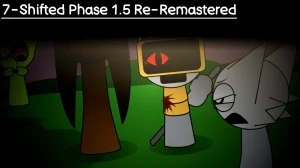
The standout feature of this definitive version is the complete visual overhaul crafted by the development team. Every character sprite has been re-animated to deliver smoother transitions, creepier idle states, and highly responsive beat-matching animations. This visual polish elevates the dark atmosphere, making the phase feel like a fully realized horror experience rather than a simple reskin.

Why Play Sprunki phase 5 Definitive Overhaul new series semi (final update)?

" Experience the re-animated dark phase of the definitive overhaul. "

" Layer heavy beats and corrupted vocals in this fan-made final update. "

" Discover the eerie secrets behind the community's favorite overhaul. "

Definitive Overhaul Player FAQ