


























Sprunki Phase 5 Glore Galore

What Is Sprunki Phase 5 Glore Galore?

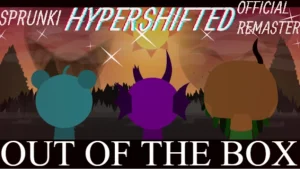
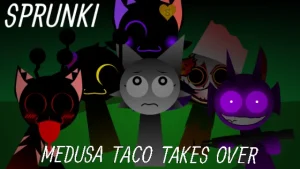
The rotting, infected character designs that replace the classic colorful cast are the first things you notice when loading into this update. In this V2.0 release, the visual overhaul takes the decaying aesthetic of the previous phase and pushes it into a full-blown infection where dead characters rot and change on screen. This version matters now because it cleans up the rough edges of the original project, giving fresh players a smoother entry point into the darker side of the fan-made music scene.

When you start dragging icons onto the stage, the gameplay loop shifts from creating upbeat melodies to layering heavy, distorted rhythms. Instead of clean vocal loops, you are stacking raspy whispers, mechanical clicks, and low-frequency hums that reflect the infected state of the characters. For beginners, this means your usual mixing strategies might need a quick adjustment, as the sounds are designed to clash and create tension rather than harmonize perfectly. It forces you to listen closely to how each rotting character alters the background beat, turning a simple drag-and-drop session into an eerie soundscape experiment.

This update builds directly on the foundation laid by FootlongNachos, who created the original Phase 5: The Blackened Killer as a continuation of the Sprunki Phase 4 Glore Galore storyline. The current creator, @Boxdudsprunki182, took over to refine the experience, sharing a note of appreciation: "Thanks to @FootLongNachos for the original project Spr*nki Re-Remastered (Mini Update)." Within the community, players have reacted with excitement, with some calling the mod "PEAKKKKKK" while others dive deep into the lore, asking questions like "Wasnt Sky revived?" as they try to piece together the timeline of the infected characters.

If you are a casual player who wants to explore the spooky side of fan-made music without getting bogged down by overly complex mechanics, this mod is an excellent starting point. It bridges the gap between the classic Sprunki Phase 5 and the chaotic, high-intensity horror mods that often overwhelm newcomers. The interface remains highly accessible, allowing you to focus entirely on how the different audio layers interact. It is a perfect match for anyone looking to mess around with creepy beats on sprunki.cool during a quick break.

Navigating the infected lineup is straightforward, making it highly rewarding for players who just want to hear how creepy a mix can get. You do not need any prior mixing experience to find a satisfyingly eerie rhythm among the decaying cast. This update delivers a delightfully eerie sandbox that lets casual creators craft their own miniature horror soundtracks with ease.

Join The Conversation

Share your thoughts and experiences with other players

Click to load the comment system and start chatting with other players

Mastering the Infected Beats of Phase 5

1

Dragging the Infected Icons

To begin your mix, select any of the decaying character icons from the bottom menu and drag them onto the active stage slots. Each character represents a unique layer of the infection, bringing their own distorted loops, raspy vocals, or heavy percussion to the track. For beginners, it is best to start by placing one rhythm character first to establish a steady tempo before layering the more chaotic vocal effects. This simple drag-and-drop action lets you build a custom horror atmosphere step by step.

2

Balancing the Rotting Audio Layers

Because the sounds in this mod are highly textured and distorted, stacking too many vocal tracks at once can result in a muddy mix. To keep your track sounding clean yet creepy, try balancing your lineup with two rhythm loops, one bass effect, and only one or two vocal characters. If the audio becomes too overwhelming, you can easily mute or remove individual characters to hear how each specific sound contributes to the overall horror theme.

3

Triggering Visual Transformations

As you add more characters to the stage, pay close attention to how their visual designs change and react to the music. The characters do not just stand still; their rotting animations sync up with the beats you place, creating a dynamic visual performance that matches the dark tone of the audio. Experimenting with different character combinations allows you to discover unique visual pairings that make your custom horror mix feel like a cohesive, animated music video.

Practical Mixing Advice for the Rotting Cast

  • Establish a Solid Foundation First

    When you are first starting a mix, it can be tempting to throw all the vocal characters onto the stage immediately. However, because the sounds in this mod are so distorted, doing this usually results in a chaotic mess. Instead, start by placing a single bass or percussion character to set the tempo.

    This gives you a steady rhythm to work with, making it much easier to decide which creepy vocal loops will fit best.

  • Audition Characters Individually

    If your mix is starting to sound too cluttered, do not hesitate to use the mute button on individual characters. This allows you to isolate specific loops and hear exactly how they interact with your core beat without having to clear your entire stage.

    It is a great way for beginners to learn the unique sound profile of each infected character.

Key Elements of the Blackened Killer Reskin

1

Sky — The Unresolved Fate

Sky is a beloved canon character whose presence in this mod has sparked plenty of discussion among lore enthusiasts. In this infected phase, Sky brings a haunting, airy vocal layer that adds a sense of tragic melody to the otherwise harsh and distorted soundscape. Beginners will find Sky's loop incredibly useful for smoothing out the rougher, more aggressive percussion tracks.

2

Oren — The Dark Catalyst

Oren is a central figure in the broader Sprunki universe, often associated with tension and dramatic shifts. Within this mod, Oren delivers a deep, rumbling bassline that serves as the perfect anchor for your horror mix. Placing Oren on the stage instantly shifts the atmosphere, giving your track a heavy, ominous weight that makes the other vocal loops sound even creepier.

3

Wenda — The Haunting Echo

Wenda is known for her distinct vocal presence, and in this rotting phase, her sound is transformed into a series of eerie, echoing whispers. Her loop is designed to drift in and out of the mix, providing a layer of psychological horror that keeps the listener on edge. Using Wenda in combination with steady beats creates a fantastic contrast.

4

The Blackened Killer Aesthetic

This mod features a complete visual reskin of the original Phase 5, drawing heavy inspiration from the Gore Galore style. The characters are depicted in various states of decay, with dark, infected details that perfectly match the unsettling audio tracks. This cohesive art style ensures that every mix you create feels like a genuine descent into a digital nightmare.

Why Play Sprunki Phase 5 Glore Galore?

" Mix decaying beats in a beautifully corrupted musical sandbox. "

" Explore the dark, infected continuation of the Gore Galore storyline. "

" Create your own eerie soundscapes with a simple drag-and-drop interface. "

Answers for Curious Phase 5 Players