











Sprunki Phase 6 Alive

What Is Sprunki Phase 6 Alive?

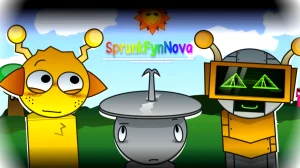
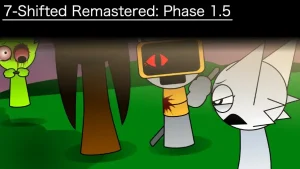
Sprunki Phase 6 Alive breathes new energy into the beloved music-mixing universe with a vibrant twist on character revival. Created by @randomskyfan and originally shared on cocrea, this V1.0 community MOD transforms the Phase 6 experience by bringing characters back from their darker states into lively, animated performers ready to create music alongside you.

The core gameplay revolves around character reanimation and beat composition. Players select from revived Phase 6 characters, each contributing unique sounds and visual flair to your musical creations. The MOD introduces fresh animations and personality to characters previously seen in more somber phases, allowing young creators to experiment with layering vocals, rhythms, and melodies in an uplifting environment. The interface remains accessible for children while offering depth for those wanting to craft complex soundscapes.

Available to play directly on sprunki.cool through your browser, this fan-made creation showcases the community's passion for expanding the Sprunki universe. The V1.0 release focuses on polished character animations and stable music mixing mechanics, making it an excellent entry point for newcomers while offering familiar fun for series veterans.

This guide for Sprunki Phase 6 Alive was created with AI assistance. While we've aimed to provide accurate information, for the most up-to-date details, please check the official game page on sprunki.cool.

Join The Conversation

Share your thoughts and experiences with other players

Click to load the comment system and start chatting with other players

Reviving Your Musical Crew

1

Choose Your Alive Characters

Start by selecting from the revived Phase 6 roster. Each character displays vibrant animations showing they're back to life and ready to perform. Click on characters to hear their unique sound previews before adding them to your mix. The character selection screen shows which sounds work well together through visual hints.

2

Layer Sounds to Build Your Track

Drag characters onto the stage to activate their sounds. Experiment with different combinations by adding characters one at a time. Watch how they animate and interact as your beat grows. Remove characters by clicking them again if you want to try different sound combinations. The game saves your progress automatically.

3

Share Your Alive Creations

Once you've crafted a beat you love, use the recording feature to save your musical creation. The game captures both the audio and the character animations. You can replay your saved mixes anytime or share them with friends who also play on sprunki.cool to inspire their own musical adventures.

Beat-Making Secrets for Young Creators

  • Start Small, Build Big

    Begin your mix with just two or three characters to hear how their sounds blend together. Once you find a combination you like, gradually add more characters one at a time. This approach helps you understand each character's contribution and prevents your mix from becoming too crowded or confusing.

    Try creating a rhythm foundation first with beat-focused characters, then layer melody characters on top. This building block method mirrors how real musicians construct songs and helps young creators develop an ear for musical structure.

  • Experiment with Character Timing

    Don't add all characters at once—try bringing them in and out at different moments during your track. Removing a character temporarily and bringing them back creates dynamic changes that make your music more interesting. Watch how the animations change as you modify your mix in real-time.

    Create call-and-response patterns by alternating between different character groups. This technique adds conversation-like elements to your music and teaches fundamental concepts about musical phrasing and rhythm in a fun, visual way.

What Makes Phase 6 Come Alive

1

Reanimated Phase 6 Cast

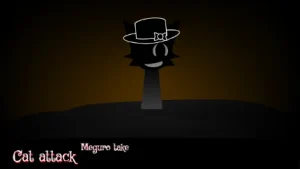
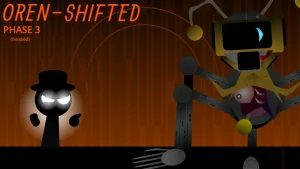
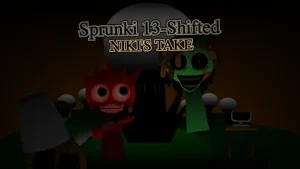
Every character from Phase 6 returns with lively animations and cheerful expressions, transforming the darker aesthetic into an upbeat musical celebration. Each character maintains their signature sound while displaying new personality through movement and visual effects that respond to the music you create.

2

Kid-Friendly Music Mixing

The interface is designed for young creators with simple drag-and-drop controls and instant audio feedback. No musical training needed—just experiment with character combinations to discover cool sound patterns. Visual cues help children understand which characters complement each other for harmonious results.

3

Browser-Based Instant Play

Jump straight into music creation without downloads or installations. The game runs smoothly in your web browser on sprunki.cool, making it accessible from computers at home or school. Your creations save automatically, so you can return anytime to continue experimenting with new beat combinations.

Why Play Sprunki Phase 6 Alive?

" Bring the Beat Back to Life! "

" Mix Music, Revive Characters, Create Magic! "

" Phase 6 Comes Alive with Your Sound! "

Your Phase 6 Alive Questions Answered