









Sprunki Phase 7 Definitive: Ice Age Frozenate (Player Baldi's Take)

What Is Sprunki Phase 7 Definitive: Ice Age Frozenate (Player Baldi's Take)?

The Ice Age Frozenate theme plunges the musical world into a deep, shivering freeze where every beat is locked in frost. This icy setting transforms the familiar stage into a winter landscape where characters must sing through the cold. New players can jump right into this frozen world to see how the chilly atmosphere changes the musical vibes. It is a cool way to experience a winter-themed remix without needing any complex setup. You get to lead a crew of shivering performers who are ready to drop some of the coldest beats yet.

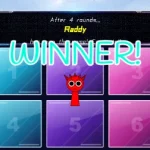
To start building your frozen track, you simply drag and drop the animated characters from the bottom roster onto the active playfield slots. Each character represents a specific loop, whether it is a shivering bassline, a frosty melody, or a sharp percussion beat. As you layer these sounds, the characters react with responsive animations that match the tempo of your mix. Beginners should try swapping different characters in and out to hear how the audio layers blend together in real time. The controls are completely visual, so you do not need any musical background to start making cool tracks.

This mod fits into the massive, fan-made Sprunki music-mixing ecosystem, which originally started as a creative spin on classic drag-and-drop beatmakers. Within this universe, fans constantly create custom phases, horror remixes, and unique character takes to expand the musical options. This specific version is a special take on the seventh phase, building on the original work of creator Gasharpoon and the definitive remake by Catt. If you have played other versions like Sprunki Phase 7 Definitive or want to compare it to Sprunki Phase 6 Definitive Ice Age Frozenate, you will notice how different creators put their own spin on the winter theme.

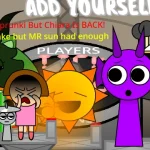
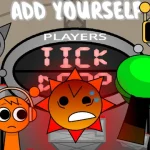
The visual style stands out with sharper graphics and clean character animations that make the frozen theme feel alive. On the audio side, players in the community have pointed out that despite the icy look, the actual music layers bring absolute heat to the speakers. Some players drop quick comments like "hi" in the chat, while others focus on how the expanded sound library makes the audio cues feel much more immersive. You can easily spend minutes testing how the different sound effects interact, watching the characters bounce to the rhythm.

This version, known as V1.0, is perfect for casual players who want a quick, accessible music session directly in their browser on sprunki.cool. However, because this is a specific take by creator Player Baldi, some players might find the roster smaller or different compared to other massive mods. A minor caveat is that since it builds on multiple community remakes, the credit lines can get a bit confusing for newcomers trying to track down the original assets. Still, it is a fantastic, lag-free entry point for anyone wanting to experience a frosty musical remix.

Join The Conversation

Share your thoughts and experiences with other players

Click to load the comment system and start chatting with other players

How to Create Your First Frozen Mix

1

Select Your Frosty Performers

Start your musical journey by looking at the character roster at the bottom of the screen. Each animated character represents a unique sound loop, ranging from deep winter basslines to light, icy melodies. Click and drag your chosen character onto one of the active playfield slots to start the music. Beginners should try adding characters one by one to hear how each new layer changes the overall vibe of the track.

2

Balance the Audio Layers

Once you have a few characters active on the stage, listen closely to how the beats and melodies interact. You can easily swap characters out by dragging them off the playfield if a sound feels too crowded or out of place. Experimenting with different combinations of rhythms and vocal effects is the best way to find a balanced mix that brings out the best of the Ice Age theme.

3

Watch the Responsive Animations

Pay close attention to the visual cues on your screen as you build your track. The characters do not just make sound; they also feature responsive animations that bounce and move in time with the music. This visual feedback helps you understand the tempo and rhythm of your mix, making it easier to decide which character to add next for a satisfying visual and audio performance.

Pro Tips for Chilling Beats

  • Start with the Rhythm Section

    Always begin your mix by dragging one or two percussion characters onto the stage first. Establishing a steady beat early on makes it much easier to layer melodies and vocals on top without losing the rhythm.

    If the mix starts sounding too chaotic, remove the melody characters first and rebuild your track from the bassline up.

  • Test Contrast in Your Sounds

    Try pairing very deep, heavy bass loops with high-pitched, icy melodies. This contrast prevents your track from sounding flat and highlights the unique winter atmosphere of the mod.

    Watch how the characters animate together; sometimes visual patterns can help you spot which sounds will blend nicely.

Cool Features of the Ice Age Take

1

Expanded Sound Library

This version features a wider selection of audio loops and sound effects tailored to the winter theme. Players can experiment with crisp percussion, shivering vocals, and deep bass tones that make every custom track feel incredibly immersive.

2

Responsive Character Animations

The animated roster reacts dynamically to the music you create. As you layer different beats, the characters move in sync with the tempo, providing a fun visual show that matches your custom audio mix perfectly.

3

Sharper Visual Graphics

Enjoy cleaner art and sharper visual designs that bring the frozen landscape to life. The polished character models and winter-themed interface make the gameplay feel modern and visually engaging for players of all ages.

Why Play Sprunki Phase 7 Definitive: Ice Age Frozenate (Player Baldi's Take)?

" Mix frosty beats in a shivering winter landscape. "

" Layer cold melodies with responsive character animations. "

" Experience Player Baldi's unique take on Phase 7. "

Frequently Asked Questions