Sprunki Phase 7 [My Take]

What Is Sprunki Phase 7 [My Take]?

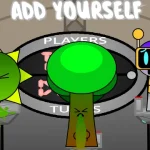
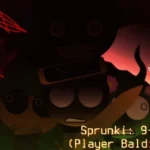
Many players jumping into the V2.0 update of this mod assume it is just a simple re-upload of older beats, but this version actually overhauls the character animations and visual styles completely. Instead of expecting the usual static icons, your very first move should be dragging the new character designs onto the stage to see how they react. Starting with the wrong slots might leave you confused by the sudden visual shift, so grab the main vocalists first to set the tempo.

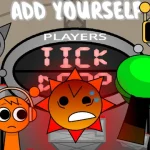
Once you drop the icons into place, watch how the characters move because they do not just stand there. They all slide or hop around to walk, giving the screen a chaotic, bouncy energy that changes how you time your drops. Listen closely to how the vocals layer over the rhythm, especially when mixing the creepy elements with the upbeat tempos. You want to test different combinations of these sliding figures to find the sweet spot where the beat does not get too cluttered.

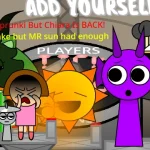
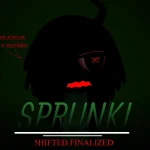
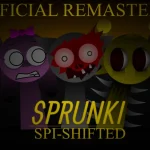
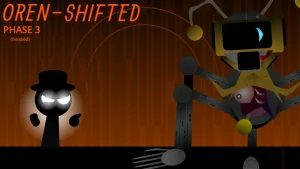
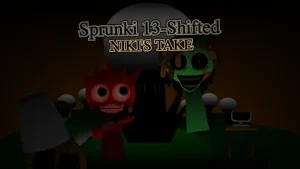
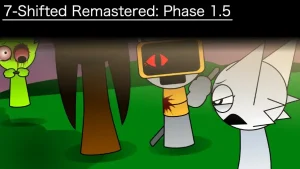
This specific version stands out because it blends several popular community concepts, including the Wenda treatment and elements from the FNF retakes. Creator @SprunkiSimonTimeYa built this layout with inspiration from other fan favorites, making it feel like a crossover of different internet trends. The characters do not follow the standard idle animations of the original Sprunki Phase 7, opting instead for quirky, expressive movements that match their custom sounds.

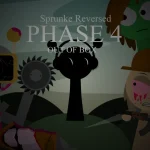
The wider Sprunki universe is packed with fan-made mods, remixes, and custom phases that let players experiment with music and horror themes. These community creations often take the basic drag-and-drop music-making formula and spin it into weird, creative directions. This particular mod acts as a unique fan take, remixing established character designs and sound loops to give players a different flavor of the phase. It shows how community creators can keep building on the core gameplay to keep things interesting for long-time fans.

Players who love quirky animations and community crossovers will have a blast mixing these tracks on sprunki.cool, though anyone looking for a massive, endless roster might find it a bit short. Some players in the community note that this style of modding usually wraps up around phase 10 to 15, so do not expect an infinite progression system. For the best experience, focus on pairing the hopping characters with the sliding ones to create a balanced, bouncy rhythm.

Join The Conversation

Share your thoughts and experiences with other players

Click to load the comment system and start chatting with other players

Beginner Mixing Guide

1

Start with the Sliding Characters

When you first load up the game, do not just drop icons randomly. Look for the characters that slide or hop around to walk. Placing these animated figures on the stage first helps you establish the visual flow of your mix. They bring a unique, bouncy energy to the screen, making it much easier to time your next sound drops.

2

Layer the FNF and Retake Vocals

Once your rhythm is set, begin layering the custom vocals inspired by popular community retakes. Listen to how the FNF-style beats clash or blend with the creepier tones. Try swapping different vocal tracks in and out to see which ones match the sliding animations. Keeping the mix clean prevents the audio from becoming a chaotic mess.

3

Experiment with the Wenda Treatment

Do not miss out on the special character designs like the Scrunkly Wenda variant. These specific icons introduce distinct sound loops that can completely shift the mood of your track. Drag them onto the active slots last to add a surprising layer of flavor to your custom music mix, transforming a standard beat into something much more memorable.

Pro Mixing Tips

  • Balance the Bouncy Beats

    Try pairing the sliding characters with the hopping ones to keep your visual stage balanced. Mixing too many highly animated characters at once can make the screen feel overwhelming, so space them out.

    A clean backing track makes the custom FNF-style sounds stand out much better, preventing your final mix from sounding muddy.

  • Watch the Phase Limits

    Keep in mind that this style of community mod is designed as a compact experience. It does not feature an endless progression system, so focus on mastering the available character combinations in this version.

    This mod is heavily inspired by FootLongNachos' take on Phase 12 Remastered, which offers a great point of comparison for fans.

Key Mod Features

1

Sliding and Hopping Animations

Instead of standing completely still, every character in this mod slides or hops around to walk. This unique visual style adds a lively, chaotic energy to your screen, making the music-mixing process feel much more active and entertaining as you watch your custom band move to the beat.

2

Community Crossover Designs

This version features popular community concepts like the Scrunkly Wenda treatment and FNF retake styles. Players get to experience a creative mashup of different fan-made designs, bringing a fresh aesthetic to the classic music-making layout that honors some of the community's favorite trends.

3

No-Download Browser Play

You can jump straight into the music-making action without worrying about downloads or installations. The mod runs smoothly directly in your web browser on sprunki.cool, allowing you to start mixing beats and experimenting with characters instantly without cluttering your device.

Why Play Sprunki Phase 7 [My Take]?

" Watch them slide and hop to the beat in V2.0! "

" A quirky community remix featuring custom FNF-style designs "

" Mix bouncy rhythms with the Scrunkly Wenda treatment "

Frequently Asked Questions