


























Sprunki Phase 9: A Dose Of Hope - Jaideep's Take

What Is Sprunki Phase 9: A Dose Of Hope - Jaideep's Take?

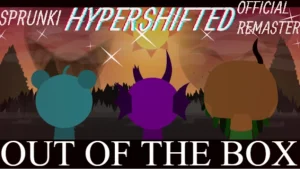
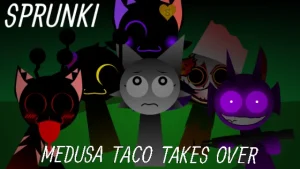
V1.0 brings a specific shift in mood that makes Sprunki Phase 9: A Dose Of Hope - Jaideep's Take a must-try for those seeking a heavier atmosphere. This version matters now because it moves away from simple loops toward a more emotional experience. Start by dragging a few icons onto the polos to see how the darker characters change the energy of the screen. You can play this right now on sprunki.cool without any downloads.

Your main loop involves layering sounds to build a track. Drag and drop different characters to trigger their specific loops. Listen for how the rhythms clash or blend. Watch the visual changes as you add more layers. The goal is to find a combination that feels right. Experiment with different slots to see which sounds dominate the mix.

This take differs from the base Sprunki Phase 9 by adding more emotional depth. While other versions might focus on chaos, this one leans into a tragic reality. The characters look different and the sounds carry more weight. It feels less like a random remix and more like a curated mood piece. You can compare this to Sprunki Phase 9 A Dose Of Hope Insomias Take to see how different creators handle the same phase.

Community feedback shows players are already reacting to the vibe. One player, Nani, simply called the experience "Peak." Others, like Blue Noob, are already thinking about how to make the mod look even better. These reactions suggest the visual style is a big draw. The focus is on the aesthetic and the feeling of the music rather than complex hidden secrets.

This mod is best for players who love moody, atmospheric music and creepy visuals. If you prefer bright, happy beats, this might feel too heavy. One boundary to keep in mind is that this is a fan-made extension. It relies on your own creativity to find the best sounds. There is no set path to victory, only your own mix.

Join The Conversation

Share your thoughts and experiences with other players

Click to load the comment system and start chatting with other players

First-Time Player Guide

1

Start Your First Mix

Open the game and look at the character roster. Pick three characters that look the most interesting to you. Drag them onto the available slots one by one. Listen to how the first sound sets the tempo and how the second one adds a layer of melody or percussion. This helps you understand the basic rhythm of the mod.

2

Test Character Combos

Try swapping one character for another to see how the mood shifts. Since this version focuses on emotional depth, some characters might sound more tragic than others. Pay attention to which sounds complement each other. If the mix feels too crowded, remove a character and see if the remaining sounds breathe better.

3

Explore the Visuals

Don't just listen to the music; watch the characters. The darker character designs are a core part of the experience. Notice how their animations sync with the beats you've created. Try to match the visual energy of the characters with the intensity of the sounds you are layering to create a cohesive vibe.

Mixing Tips

  • Layer Slowly

    Add characters one at a time. This lets you hear exactly how each new sound changes the overall mood of your track.

    Avoid filling all slots immediately, as the darker sounds can overlap and become muddy if you aren't careful.

  • Contrast Your Sounds

    Mix a very heavy beat with a softer, more emotional melody. This creates a tension that fits the theme of the mod.

    Experiment with the most tragic-looking characters first to establish the core mood before adding rhythm.

Key Mod Features

1

Emotional Depth

Unlike basic versions, this take emphasizes a tragic reality. This means the sounds and visuals are designed to evoke specific feelings, making your music feel more like a story.

2

Darker Character Roster

The characters in this version have a grittier look. This visual shift matches the heavier audio loops, providing a consistent atmosphere for players who enjoy horror-adjacent themes.

3

Creative Freedom

The mod is built for experimentation. There are no strict rules, allowing you to mix and match sounds until you find a combination that fits your personal style.

Why Play Sprunki Phase 9: A Dose Of Hope - Jaideep's Take?

" Darker characters, deeper emotions "

" Mix the tragic reality of Phase 9 "

" Your creativity unlocks the sound "

Quick Start FAQ