


























Sprunki Phase 9 Remix

What Is Sprunki Phase 9 Remix?

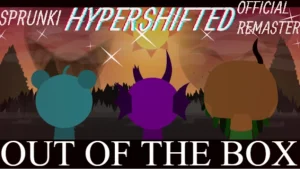
V5.0 brings a refined take on the eerie atmosphere of the ninth phase. This Sprunki Phase 9 Remix matters now because it streamlines the experience for players who want a tighter, more focused version of the original horror-themed music mix. You can jump straight into the action on sprunki.cool to see how the audio layers have been adjusted for better flow.

Start by dragging different icons onto the characters to build your track. Watch how the visual changes trigger as you add more layers. Listen for the specific rhythmic shifts that happen when you combine different voice loops. The goal is to find a balance between the creepy melodies and the heavy beats that define this specific phase.

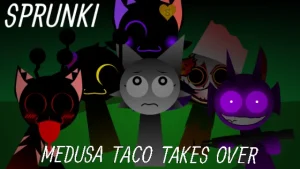
This version stands out from the Sprunki Phase 9 base by focusing on a remixed approach. While other takes like the Remastered version by Footlong Nachos focus on a full remake of Turk Jevin's work, this remix emphasizes a specific mood. A key detail to notice is Oren, whose design features three fallen eyes while a fourth remains to see everything. This visual cue signals the darker tone of the mod.

Player-impact analysis suggests that users often look for the most stable version of these high-number phases. Since this is a remix, the focus is on the sound quality and character presentation. Some players might compare this to the Sprunki Phase 9 Definitive version to see which audio mix fits their style better. The emphasis here is on a cohesive, haunting loop.

Fans of horror-themed music mods will love the atmosphere here. It is a great fit for those who enjoy experimenting with dark, distorted sounds. However, keep in mind that as a fan-made remix, some character animations may be simpler than in full remakes. This is a focused music tool, not a full story-driven game.

Join The Conversation

Share your thoughts and experiences with other players

Click to load the comment system and start chatting with other players

How to Mix Phase 9

1

Layer Your Loops

Begin by placing a bass loop first to set the foundation. Once the beat is steady, add the vocal characters one by one. This allows you to hear how each new sound interacts with the existing rhythm. Experiment with different combinations to find a mix that feels balanced and eerie without becoming too noisy.

2

Analyze Visual Cues

Pay close attention to the character changes as you activate them. Look for specific details like Oren's eyes to understand the theme of the phase. These visual shifts often correspond with the mood of the sound they provide. Matching the visual energy with the audio loop helps you create a more thematic composition.

3

Test Phase Transitions

Try switching characters quickly to see how the audio transitions. This helps you identify which sounds blend well together and which ones clash. By testing these swaps, you can build a sequence of sounds that feels like a professional track rather than a random collection of loops.

Pro Mixing Tips

  • Balance the Bass

    Avoid using too many heavy bass characters at once. This can muddy the sound and hide the creepy melodies.

    Try pairing one deep bass loop with two high-pitched melodic characters for a cleaner mix.

  • Focus on Contrast

    Mix very quiet, eerie sounds with sudden loud beats. This creates a jump-scare effect in your music.

    Use the most distorted characters sparingly to keep the impact high throughout the track.

Remix Highlights

1

Remixed Audio Palette

The sounds are tuned for a specific atmospheric effect. This makes it easier to create a haunting track compared to the base phase.

2

Oren's Unique Design

Featuring a striking visual where three eyes have fallen out. This adds to the horror aesthetic and gives the character a distinct identity.

3

Streamlined Interface

The layout is designed for quick dragging and dropping. This allows players to focus on the music without fighting the controls.

Why Play Sprunki Phase 9 Remix?

" Four eyes, one vision, total chaos "

" Remixed beats for a darker phase "

" Swap the sounds, shift the vibe "

Troubleshooting & FAQ