









Sprunki Phase 9a Definitive (Gabs' Take)

What Is Sprunki Phase 9a Definitive (Gabs' Take)?

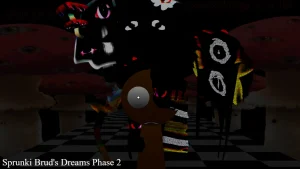
Why did Oren lose three of his eyes in this latest fan-made sequel, and how does his remaining eye change the way you build your beats? This is the big question players are asking as they jump into Sprunki Phase 9a Definitive (Gabs' Take), a fresh community update that builds directly on the previous definitive editions. This version matters right now because it acts as a direct fan-made sequel to the Phase 8 version created by Catt, bringing a highly requested overhaul to the soundboard. If you have played other definitive editions on sprunki.cool, like Sprunki Anti Shifted Definitive or Sprunki Definitive Phase 17, you will immediately notice how this update cleans up the interface while keeping the chaotic, lore-heavy atmosphere intact.

The answer lies in how @GabsTheCreator restructured the character roster to emphasize narrative-driven sound design. In this V1.0 release, every single character icon you drag onto the stage contributes a specific piece to the unfolding story. For instance, Oren has undergone a creepy transformation where three eyes fell out, but the fourth sees everything, giving his vocal loops a much more haunting, omniscient vibe. Players are already calling this update "very cool mods 1000000/10 ultralegendary" because of how smoothly the new character designs blend into the classic horror-tinged aesthetic.

Visually, the mod leans heavily into the dark, mysterious themes that fans of the series love. Characters like Sky and Funbot have received distinct design updates that match their eerie audio tracks. The community has reacted with massive hype, with players shouting "TAHNKS FOR USING GARNOLD DESIGN!!!!!!!!" in the comment sections. This attention to visual detail means that your eyes are just as engaged as your ears while you experiment with different character combinations.

Behind the scenes, the creator has spent a lot of time collaborating and pulling inspiration from the wider community to make this project happen. In their official notes, @GabsTheCreator shared that "It's finally here, but i'm not done with this project just yet." This shows that more updates might be on the horizon, but what we have right now is already a massive step forward. The mod credits several prominent creators, including @Catt for the Phase 5 Definitive foundation, LilDougieBug for Phases 3 and 4, and @Gray_Cocrea for the Durple design in Phase 6. This collaborative DNA is why the soundscapes feel so rich; you are hearing years of community history packed into a single, polished browser experience.

For beginners trying to find their footing, this mod is the perfect entry point because it does not overwhelm you with overly complex menus. You just drag your favorite characters onto the screen and let the loops layer naturally. Some players have already started requesting tweaks, with one asking, "Can you Replace Wenda Alt, Jevin Alt and My Alt icon with The Alt sound buttons?" to make the mixing even cleaner. If you want to build a slow, creepy rhythm with Oren or drop a heavy beat with Garnold, the intuitive layout ensures you do not need any prior mixing experience to make something that sounds incredibly professional.

To get started, open the game in your browser, drag Oren onto the first slot to hear his eerie vocal loop, and then layer Garnold on top to establish your baseline rhythm.

Join The Conversation

Share your thoughts and experiences with other players

Click to load the comment system and start chatting with other players

Mastering the Oren Beat: How to Play

1

Dragging and Dropping Your First Loop

To begin your musical journey in this mod, select any character icon from the bottom tray and drag them onto one of the active slots on the screen. Each character represents a unique loop, such as a vocal, beat, or effect. For beginners, starting with a simple rhythm character is the easiest way to establish a steady tempo before adding more complex layers. As you drop characters into place, they will automatically sync to the master beat, ensuring your mix never falls out of time.

2

Layering Melodies with Oren

Once you have a basic rhythm going, it is time to introduce melodic elements using characters like Oren. Since Oren only has his fourth eye remaining, his sound profile is deeply atmospheric and haunting. Dragging him onto an active slot introduces a slow, echoing vocal layer that fills the empty spaces in your mix. Try pairing him with lighter synth characters to create a stark contrast between the high-pitched melodies and his deep, mysterious background vocals.

3

Activating the Alt Sound Buttons

For players looking to add more variety to their tracks, experimenting with alternative sound variations is key. While some players in the community have asked to "Replace Wenda Alt, Jevin Alt and My Alt icon with The Alt sound buttons," you can still create incredible dynamic shifts by swapping characters in and out of your active lineup. Muting and unmuting specific characters during a drop allows you to build tension and release it, mimicking a live DJ performance.

Pro Tips for Mixing with Garnold and Sky

  • Start with the Bass to Avoid Clutter

    When you are first learning how to mix, it is easy to overwhelm the soundboard by dragging too many vocal characters onto the screen at once. A better approach is to start with a heavy rhythm character like Garnold to establish your baseline. Once the beat is locked in, you can slowly introduce melodic elements.

    This prevents your track from becoming a chaotic wall of noise and helps you hear how each individual loop interacts.

  • Use Mute and Solo for Dynamic Drops

    Do not just leave your characters running constantly throughout the entire song. You can create exciting drops and transitions by hovering over a character and using the mute or solo buttons. Cutting out the drums right before a major vocal section makes the eventual return of the beat feel much more impactful.

    Experiment with muting everything except Oren for a few seconds to create a chilling, isolated vocal moment.

Definitive Phase 9 Character Roster & Sound Profiles

1

Oren — The Omniscient Vocalist

Oren is a central figure in this phase, sporting a creepy design where three of his eyes have fallen out, leaving only a single, all-seeing fourth eye. In terms of sound, he delivers a haunting, atmospheric vocal loop that anchors the horror theme of the mod. He is perfect for building suspense in the intro of your track.

2

Garnold — The Heavy Rhythm Section

Garnold returns with a fan-favorite design that players have praised heavily. He provides the deep, grounding basslines and heavy beats necessary to keep your track moving. Pairing Garnold with lighter vocal characters creates a balanced mix that prevents your music from sounding too empty or chaotic.

3

Sky — The Eerie Melodic Lead

Sky brings a high-pitched, melodic element to the mix that contrasts beautifully with the darker characters. Her sound loop is designed to float over the heavy basslines, adding a layer of tension and emotion to your custom beats. She is essential for players who want to create a narrative-driven song.

4

Funbot — The Mechanical Sound Effect

Funbot adds a quirky, robotic texture to your music, breaking up the organic vocals with sharp, synthetic sound effects. Placing Funbot in your lineup introduces unexpected rhythmic glitches and electronic chirps, making your overall mix sound much more futuristic and complex.

5

Collaborative Soundboard Architecture

This mod features a highly polished soundboard built on the contributions of multiple legendary community creators. By combining design elements from Phase 5, Phase 6, and Scratch-based definitive editions, the audio engine delivers a seamless mixing experience where every loop fits together perfectly without muddying the overall sound.

Why Play Sprunki Phase 9a Definitive (Gabs' Take)?

" Master the haunting loops of the all-seeing Oren. "

" Build your ultimate mix with definitive community designs. "

" No downloads needed—just drag, drop, and drop the beat. "

Frequently Asked Questions About Gabs' Take