


























Sprunki Rareshifted (Fedoki's Take)

What Is Sprunki Rareshifted (Fedoki's Take)?

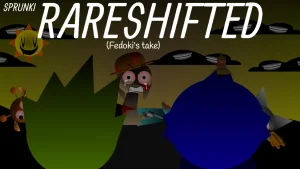
A stage shrouded in heavy shadows and thick fog sets the scene for a deeper descent into musical chaos. In Sprunki Rareshifted (Fedoki's Take), the familiar colorful lineup is replaced by silent, faceless shadow figures waiting in the gloom. The moment you drag an icon onto these blank silhouettes, they warp into distorted, eerie "rareshifted" designs, instantly breathing life into the dark atmosphere with heavy basslines, gloomy melodies, and deeply distorted vocals.

This version, developed by @Fedoki, is a distinct creative spin on the original Sprunki Rareshifted project by @FootLongNachos. Marking a significant milestone as the first mod @Fedoki has fully completed solo in a long time, Version 4.0 introduces what the creator describes as "an additional layer of chaos" to the shifted universe. The gameplay remains highly intuitive, relying entirely on drag-and-drop interactions to build your custom, atmospheric soundscapes.

As you experiment with different combinations of the custom sound library, you can fine-tune your mix by clicking on individual characters to mute them, solo their tracks, or remove them entirely from the stage. For players seeking an even more intense experience, a hidden "spooky mode" can be triggered by dragging a special dark icon onto the characters, instantly plunging both the visuals and the audio into a pure horror style. This community-submitted mod is now fully playable on Sprunki.cool.

Join The Conversation

Share your thoughts and experiences with other players

Click to load the comment system and start chatting with other players

How to Play

1

Drag and Drop

Select a custom sound icon from the bottom menu and drag it onto any of the faceless shadow figures on the stage.

2

Observe the Shift

Watch the character instantly transform into its unique, distorted 'rareshifted' design as its sound layer begins playing.

3

Adjust the Mix

Click on any active character to mute their sound, solo their track, or remove them from the performance entirely.

4

Trigger Spooky Mode

Locate and drag the special dark icon onto the stage to instantly shift the entire game into a horror-themed visual and audio style.

Atmospheric Mixing Tips

  • Isolate Distorted Vocals

  • Search for the Dark Icon

Key Features of Fedoki's Take

1

Eerie Visual Aesthetic

A dark, fog-covered stage populated by faceless shadow figures that warp into unique distorted designs when activated.

2

Custom Sound Library

Features a completely custom set of heavy basslines, bizarre sound effects, gloomy melodies, and distorted vocals.

3

Intuitive Mixing Controls

Easily manage your track with simple click-to-mute, click-to-solo, and click-to-remove mechanics directly on the characters.

4

Hidden Spooky Mode

A secret visual and auditory transformation triggered by dragging a specific dark icon onto the lineup.

Why Play Sprunki Rareshifted (Fedoki's Take)?

" Transform silent shadows into a symphony of distorted, heavy beats. "

Frequently Asked Questions