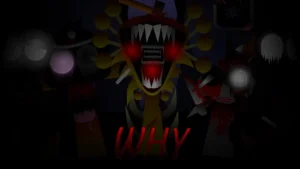



























Sprunki - The Real Phase 8

What Is Sprunki - The Real Phase 8?

Did you notice how the latest V1.0 update swaps out the usual bright, bouncy loops for a much darker, stripped-back soundscape? This version matters right now because it completely flips the script on previous editions, shifting the focus toward a bleak style where silence and space do most of the heavy lifting. Instead of cluttering your screen with endless noise, this release challenges you to build tension with minimal layers, making every single sound feel incredibly deliberate.

Looking at the core design, the creators @Noname3456 and @ReshinakaLUNA built this mod around eerie melodies and horror-themed characters. When you drag these special horror versions onto the stage, they do not just play standard beats; they drop unsettling, hollow loops that drift over the rhythmic beats. This is a massive departure from the busy arrangements in Sprunki Phase 8, forcing you to rethink how you layer your tracks. You have to pay close attention to how each loop interacts with the silence.

To make things even more intense, the updated graphics bring a highly vibrant yet deeply unsettling visual style to the screen. Aesthetic effects fill the voids between sounds, meaning that even when a character stops singing, the visual atmosphere keeps the creepy vibe alive. The visual upgrade ensures that every single character swap feels impactful, making the horror elements pop on your screen. If you want to see how this style evolves even further, you can check out Sprunki Phase 9 Ggtp Real to compare how different creators handle these late-stage horror phases and build on these dark themes.

This setup is perfect for players who want to move away from chaotic noise and actually craft a spooky, atmospheric soundtrack. If you are new to this phase, your best bet is to start with just two or three characters to let the eerie melodies breathe before adding any heavy beats. This slow approach helps you appreciate the subtle background details. Head over to sprunki.cool to load up the game in your browser and start dragging your first horror character onto the stage.

Join The Conversation

Share your thoughts and experiences with other players

Click to load the comment system and start chatting with other players

How to Layer Your Horror Melodies

1

Positioning Your Horror Characters

To begin your mix, drag your chosen horror-themed characters onto the empty slots at the bottom of the screen. Each character triggers a unique loop, ranging from low rhythmic beats to high-pitched eerie melodies. Because this mod focuses on a minimal soundscape, placing too many characters at once can clutter the track. Start by dropping one or two vocalists to establish a haunting theme, then slowly introduce percussion to anchor the rhythm.

2

Balancing Sound and Silence

Unlike busier mods, this version uses silence as a core gameplay mechanic. When you mute or remove a character, the aesthetic effects fill the voids left behind, keeping the tension high without relying on constant noise. Try leaving empty spaces in your arrangement to let the background hum stand out. This technique creates a much creepier atmosphere and prevents your track from sounding like a chaotic wall of sound.

3

Unlocking Updated Visual Effects

As you layer different sounds, the updated graphics react dynamically to your mix. Certain character combinations trigger unique visual animations that make the horror theme feel much more immersive. Pay close attention to how the background colors shift when you introduce specific eerie melodies. Experimenting with different character pairings is the key to finding these hidden visual cues and maximizing the spooky vibe of your performance.

Pro Tips for Crafting Creepy Beats

  • Start with the Melodic Loops

    When you are first starting out, resist the urge to drop heavy drum beats right away. Instead, drag one or two characters with eerie melodies onto the stage first. This allows you to establish a creepy mood and understand the melody before adding any rhythm.

    Adding drums too early can drown out the subtle background effects that make this mod unique.

  • Use the Mute Button Strategically

    Do not hesitate to use the mute button on individual characters to create sudden drops in your music. Silencing a heavy beat while letting a single vocal loop play is an excellent way to build suspense and make your final mix sound much more professional.

    Sudden silence is often scarier than a constant barrage of horror sounds.

Key Visual and Audio Upgrades in Phase 8

1

Creepy Character Redesigns

The main characters receive a complete visual overhaul, transforming them into eerie, horror-themed versions of themselves. These updated graphics make the entire experience feel much more immersive and dark. Each character's design directly reflects the unsettling sound loop they contribute to the mix, helping you visually identify which sounds will clash or complement each other.

2

Battered and Bleak Soundscapes

This mod embraces a minimalist audio philosophy where less is significantly more. Instead of overwhelming you with fast tempos and loud drops, the sound library focuses on slow, drifting melodies and heavy, rhythmic beats. This makes it incredibly easy for beginners to create a cohesive, spooky track without needing complex mixing skills.

3

Dynamic Visual Atmosphere

The updated graphics are paired with special aesthetic effects that react to your music in real time. These visual elements fill the empty spaces on your screen, ensuring that the creepy atmosphere remains unbroken even during quieter moments of your song. It adds a layer of polish that makes the browser-based gameplay feel incredibly responsive.

Why Play Sprunki - The Real Phase 8?

" Strip back the noise and master the eerie silence. "

" Craft haunting horror beats with updated visual effects. "

" Experience a darker, minimal take on classic mixing. "

Answering Your Phase 8 Gameplay Questions