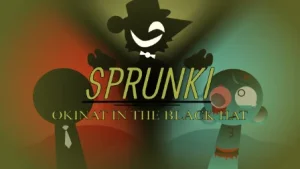



























Sprunki - Okinat in the Black Hat

What Is Sprunki - Okinat in the Black Hat?

A mysterious new creator team just dropped a massive overhaul that officially transforms the fan-favorite Okinat's Realm into a chaotic phase 3 experience. This fresh build shifts the spotlight directly onto a dark, hat-wearing antagonist, completely changing how players interact with the soundboard. If you have been following the community's efforts to piece together this lore, you already know how much hype has built up around this specific release. It represents a major shift in tone for the series, drawing in players who prefer a more suspenseful and eerie atmosphere over standard upbeat remixes.

The creators behind the mod, including @Jamessakalauskas, @Redd, and @Mochis, designed this update to serve as a direct bridge in their ongoing series. According to the team, this release is basically Okinat's Realm, and they explicitly noted that "Phase 4 is the sequel because this IS phase 3" to clarify the timeline. This means players are getting a heavy dose of lore that sets up future chapters, making it a crucial play for anyone trying to understand the overarching story. By establishing this phase as a direct predecessor, the developers have given fans a clear roadmap of what to expect next.

For players jumping in for the first time, the gameplay loop revolves around dragging dark, stylized icons onto the character slots to trigger heavy beats and eerie vocal loops. The visual style leans heavily into a dark aesthetic, featuring a character named Black who is a black Sprunki with black eyes and black eyelids, but no visible eyebrows or mouth. Navigating this interface is simple enough for beginners, but you will need to experiment with different combinations to unlock the full audio potential of the mix. Each character slot reacts dynamically to the loops you choose, creating a highly interactive visual feedback loop.

Compared to older releases like Sprunki Phase 2 The End Of Black or the vibrant tones of Sprunki Phase 9 Red And Black, this version takes a much darker, more experimental path. The sound design is far more atmospheric, trading upbeat rhythms for tense, suspenseful loops that match the villainous theme. It feels less like a standard music maker and more like an interactive horror soundtrack. This shift in musical direction has made it a standout choice for fans who enjoy the creepier side of the community's creations.

There is a major catch to keep in view before you go looking for this mod on every corner of the web. The original release was reported to have cartoon gore and was taken down soon after its initial launch, meaning players often have to look for re-uploads or fan archives to experience it. Despite the sudden takedown, the community celebrated its brief release, with co-creator @Mochis shouting "WE DID IT!" to mark the completion of the project, sparking a wave of "Mochi's!" cheers from fans. This brief availability has only added to the mod's mystique among hardcore collectors.

If you can find a working archive of this phase, the unique horror atmosphere and deep lore connections make it absolutely worth tracking down for a quick session.

Join The Conversation

Share your thoughts and experiences with other players

Click to load the comment system and start chatting with other players

How to Mix Dark Beats in Okinat's Realm

1

Dragging Icons to the Soundboard

To start your mix, click and drag the dark-themed icons from the bottom tray onto the character slots. Each icon represents a unique audio loop, ranging from heavy basslines to creepy vocal whispers. For beginners, it is best to start by placing one rhythm icon and one vocal icon to establish a steady tempo before layering more complex sounds. Experimenting with different combinations is key to finding hidden audio interactions.

2

Layering Suspenseful Audio Tracks

Once you have your basic beat running, you can layer up to seven different tracks simultaneously. Because this mod focuses on a dark, suspenseful atmosphere, stacking too many heavy beats at once can make the mix sound cluttered. Instead, try balancing low-frequency drone sounds with high-pitched vocal effects. This creates a tense contrast that fits the villainous theme of the mod perfectly without overwhelming your speakers.

3

Identifying Character Sound Roles

Pay close attention to the visual cues of each character on the screen. Characters like Black, who features black eyes and no visible mouth, typically deliver deep, atmospheric background loops rather than active melodies. Understanding which characters handle percussion, melody, or special effects allows you to build a structured arrangement. Beginners should swap characters in and out of the lineup to learn their specific audio roles.

Practical Tips for Mastering the Black Soundboard

  • Start with Minimalist Layers

    When you are first learning the layout, avoid filling all the character slots immediately. Start with just two or three active loops to hear how they interact. This minimalist approach makes it much easier to identify which sounds clash and which ones create a cool, creepy harmony.

    Try pairing Black's low drone with a single high-pitched vocal loop for an instant horror vibe.

  • Use Mute and Solo Buttons

    You can use the mute and solo buttons above each character to fine-tune your mix on the fly. If your track is getting too chaotic, soloing a single beat can help you reset your rhythm and figure out which element is causing the clutter.

    Soloing Black Hat's vocal tracks right before a beat drop creates a highly dramatic effect.

Key Features of the Black Hat Mod

1

Black — The Mouthless Shadow

Black is a mysterious black Sprunki character designed with black eyes and black eyelids, completely lacking visible eyebrows or a mouth. In this mod, Black provides deep, haunting background drones that lay the foundation for your horror mix. Dragging his icon onto the board instantly shifts the tone of the track into something far more suspenseful.

2

Black Hat — The Villainous Leader

Inspired by the infamous Cartoon Network antagonist, Black Hat brings a commanding, sinister energy to the soundboard. His character icon triggers sharp, aggressive audio cuts and dramatic vocal stabs that can easily dominate the mix. Using him at the right moment helps create a powerful drop in your custom soundtrack.

3

Okinat's Realm Aesthetic

The entire visual interface is styled after Okinat's Realm, featuring a dark color palette and eerie character designs. This cohesive art style enhances the horror atmosphere, making every sound feel connected to the creepy lore. The visual feedback from the characters reacting to the music adds an extra layer of engagement for players.

Why Play Sprunki - Okinat in the Black Hat?

" Uncover the dark secrets of Okinat's Realm in this eerie phase 3 remix. "

" Master the suspenseful beats of Black Hat and build your ultimate horror mix. "

" Experience the legendary cartoon gore mod before the phase 4 sequel arrives. "

Frequently Asked Questions About the Okinat Takedown