


























Sprunki Phase 15 Demo

What Is Sprunki Phase 15 Demo?

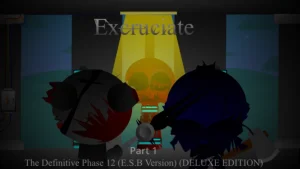
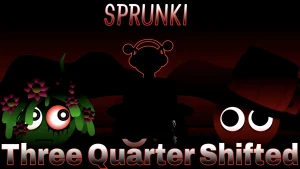
Compared to the cold, mechanical dread of Sprunki Phase 14 Demo, this version drops players straight into a pitch-black void where the familiar musical crew has been corrupted into literal ghosts, shadows, and hollowed-out monsters. The narrative premise here is pure survival horror, transforming the stage into a dark gathering of souls trapped under mysterious yellow halos. New players stepping onto this stage will immediately notice that the cheerful vibes are completely gone, replaced by a heavy, hostile atmosphere. You are not just making a beat; you are organizing a creepy choir of corrupted survivors in a broken world.

Beyond the shift in lore, several smaller details set this demo apart from standard music mixers. The tempo is locked at a restless 190 BPM, making every beat feel urgent and frantic. The interface gives you thirty selectable sounds split into beats, effects, melodies, voices, and ten bonus sounds. Unlike older phases, many characters like Fun Bot and Vineria have aggressive mechanical parts or exposed teeth, while others appear as simple silhouettes. There is also a dedicated Horror Mode button that pushes the visuals into an even harsher, more threatening state.

These changes completely reshape how you approach building your mix on sprunki.cool. Since you only have eight active stage positions, you have to be highly selective about which loops you layer. Clicking a character icon drops them onto the stage, but because the 190 BPM track gets crowded fast, you will need to use the mute, solo, and individual volume controls to keep the sound from turning into a wall of noise. Beginners should start by dropping Oren for a basic pulse, then slowly adding effects and voices to see how they interact. Testing the solo button on a single character like Simon lets you hear his specific distorted loop without the rest of the chaotic crew drowning him out.

Sprunki is a fan-made music-mixing universe inspired by Incredibox-style play. Within this massive community, creators constantly release custom phase variants, horror takes, and OC remixes that push the original formula in wild directions. This particular demo fits in as a highly anticipated horror-themed phase variant, offering a darker alternative to the main series. Fans of the wider universe will appreciate how it reinterprets familiar faces through a grim, atmospheric lens.

The community is already buzzing, with creators like @vietjevinoffical sharing excitement and lead creator @Mirr celebrating a growing YouTube channel. However, some players have reported confusion over the unfinished gallery and requested more complete animations for characters who currently only have a single frame. If you want a fully complete game with a finished gallery and deep story mode, this unfinished demo might feel a bit too raw for your taste. However, players who love fast-paced horror beats and disturbing character designs will find plenty of creepy combinations to test out. It is a solid choice for casual mixers looking for a quick scare, but those expecting a complete, bug-free package should probably wait for the final release.

Join The Conversation

Share your thoughts and experiences with other players

Click to load the comment system and start chatting with other players

Beginner Mixing Guide

1

Start with a solid beat foundation

Begin your mix by dragging Oren onto the stage to establish the core rhythm. Since the demo runs at a fast 190 BPM, starting with a steady pulse helps you keep track of the tempo before things get too chaotic. Once the beat is locked in, you can gradually introduce other percussion elements from the five available beat slots to build a strong, creepy foundation for your track.

2

Isolate sounds using the solo tool

When your stage gets crowded with up to eight characters, the audio can quickly turn into a wall of noise. Click or hover over a performer to open their control panel and select the solo option. This silences everyone else, letting you hear exactly how that character's loop sounds on its own. It is the best way to study individual vocal lines and creepy effects.

3

Activate Horror Mode for maximum tension

Locate the expanded menu icons to find the dedicated Horror Mode switch. Activating this mode shifts the entire interface into its most unsettling state, introducing harsher visual designs and more threatening versions of the characters. Use this mode when you want your fast-paced music mix to match the absolute darkest visual atmosphere the demo has to offer.

Pro Mixing Tips

  • Balance your volume levels

    Avoid filling all eight stage slots with loud voices and heavy beats right away. The mix can easily become overwhelming at 190 BPM, so use the volume sliders to lower dominant effects and let quieter melodies shine through.

    Keep an eye on the bonus row characters, as their experimental loops tend to dominate the audio mix more than the core twenty sounds.

  • Watch Simon's face closely

    Pay close attention to Simon when his loop plays. His face undergoes a sudden, dramatic visual change during his animation cycle, which is easy to miss if you are only focusing on dragging and dropping icons.

    Combine him with other quiet characters like Wenda to make sure his sudden visual jumpscares stand out clearly against a less chaotic background on the stage.

Terrifying Demo Features

1

Thirty selectable horror loops

The demo features a library of thirty distinct sounds divided into beats, effects, melodies, voices, and ten bonus sounds. This variety allows you to experiment with different layers, from heavy percussion to distorted whispers and creepy mechanical noises that keep the track tense.

2

Advanced stage control panel

Unlike simpler music mixers, this version gives you precise control over each active performer on the stage. By clicking on a character, you can mute them, isolate their sound with solo, or adjust their individual volume to prevent loud vocals from completely overpowering your mix.

3

Disturbing character transformations

The familiar cast receives a dark makeover, appearing as shadows, souls, or corrupted monsters. Characters like Simon and Vineria feature unique animations, glowing eyes, and exposed teeth that react visually to the fast rhythm of your active track, making the stage feel alive and hostile.

Why Play Sprunki Phase 15 Demo?

" Mix 190 BPM horror beats in a pitch-black void "

" Unleash 30 creepy sounds and corrupted character forms "

" Control the chaos with mute, solo, and volume tools "

Frequently Asked Questions