Sprunki: Terrifying Black Horror Transformation!

What Is Sprunki: Terrifying Black Horror Transformation!?

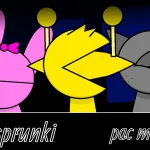
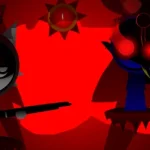
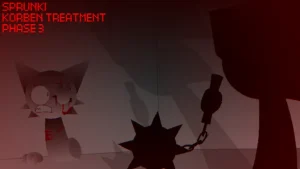
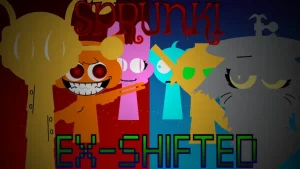
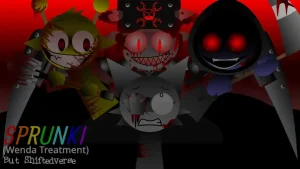
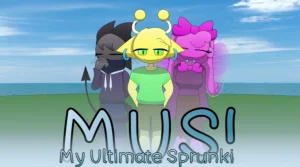
The beat drops, and what begins as a standard musical lineup quickly devolves into an eerie audio-visual spectacle. In Sprunki: Terrifying Black Horror Transformation!, characters present a striking dual contrast, shifting between serene Light forms and unsettling Dark modes. At the center of this shift stands Black, whose nightmare transformation flips his body upside down, causes his head to swell, caves in his torso, and reveals piercing eyes during key performance animations.

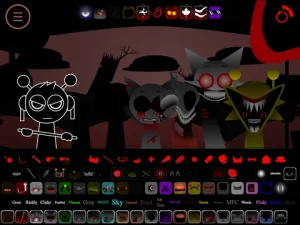
Built around a blend of upbeat beatbox rhythms, deep atmospheric drones, electronic loops, and hip-hop horror sound effects, the game turns sound mixing into a suspenseful experience. Community players have highlighted the game's detailed vector artwork and floating gem visual effects, which float across the stage while you arrange audio tracks. If you enjoy eerie soundscapes like Sprunki Kats Horror Mode, this dark transformation offers a distinct mix of tension and rhythm.

Created by @ailyrgbdfb, the project represents a personal creative take on dark music mods. As @ailyrgbdfb noted, the mod is packed with their favorite elements, offering a tailored interpretation of the dark Sprunki style. This community-submitted game is now available to play directly on Sprunki.cool, allowing players to layer tracks, experiment with dual visual forms, and share their horror remixes online.

Join The Conversation

Share your thoughts and experiences with other players

Click to load the comment system and start chatting with other players

How to Play Sprunki: Terrifying Black Horror Transformation!

1

Select Characters and Icons

Drag and drop sound icons onto the character grid slots to assign vocal, beatbox, and atmospheric rhythm tracks.

2

Trigger the Horror Transformation

Equip Black or switch to Dark mode to trigger his horrifying mutation, revealing his upside-down body, sunken torso, and swollen head.

3

Refine the Audio Rhythms

Adjust track ordering and volume levels to create a balance between energetic hip-hop beats and low atmospheric horror sound effects.

4

Save and Share Your Remix

Once your terrifying mix is finished, use the online feature to save and share your custom track with the community.

Mixing Tips & Troubleshooting

  • Layer Deep Atmospheric Drones First

    Start your composition with low atmospheric sound loops before adding beatbox icons to build maximum ambient tension.

    Aligning Black's transformation with heavy bass drops creates a stronger sensory impact.

  • Browser Performance & Technical Errors

    If you experience an error message or audio dropouts during play, refresh the web page or clear your browser cache to restore audio sync.

    Disabling heavy browser extensions can prevent script loading errors.

Key Features & Visual Style

1

Dual Light and Dark Modes

Toggle between normal Light character designs and grim Dark horror transformations across the roster.

2

Black's Terrifying Mutation

Features Black's unique animation sequence where his body turns upside down, his torso caves in, his head expands, and eyes appear on screen.

3

Detailed Vector Artwork & Gems

Includes detailed vector character art complemented by subtle atmospheric visual details like floating gems.

4

Multi-Genre Horror Soundscape

Combines upbeat rhythm tracks, electronic beats, and hip-hop influences with low eerie ambient drones.

Why Play Sprunki: Terrifying Black Horror Transformation!?

" Mix dark beats and witness Black's terrifying horror transformation. "

" A dual-mode music maker packed with eerie rhythms and detailed visuals. "

Frequently Asked Questions